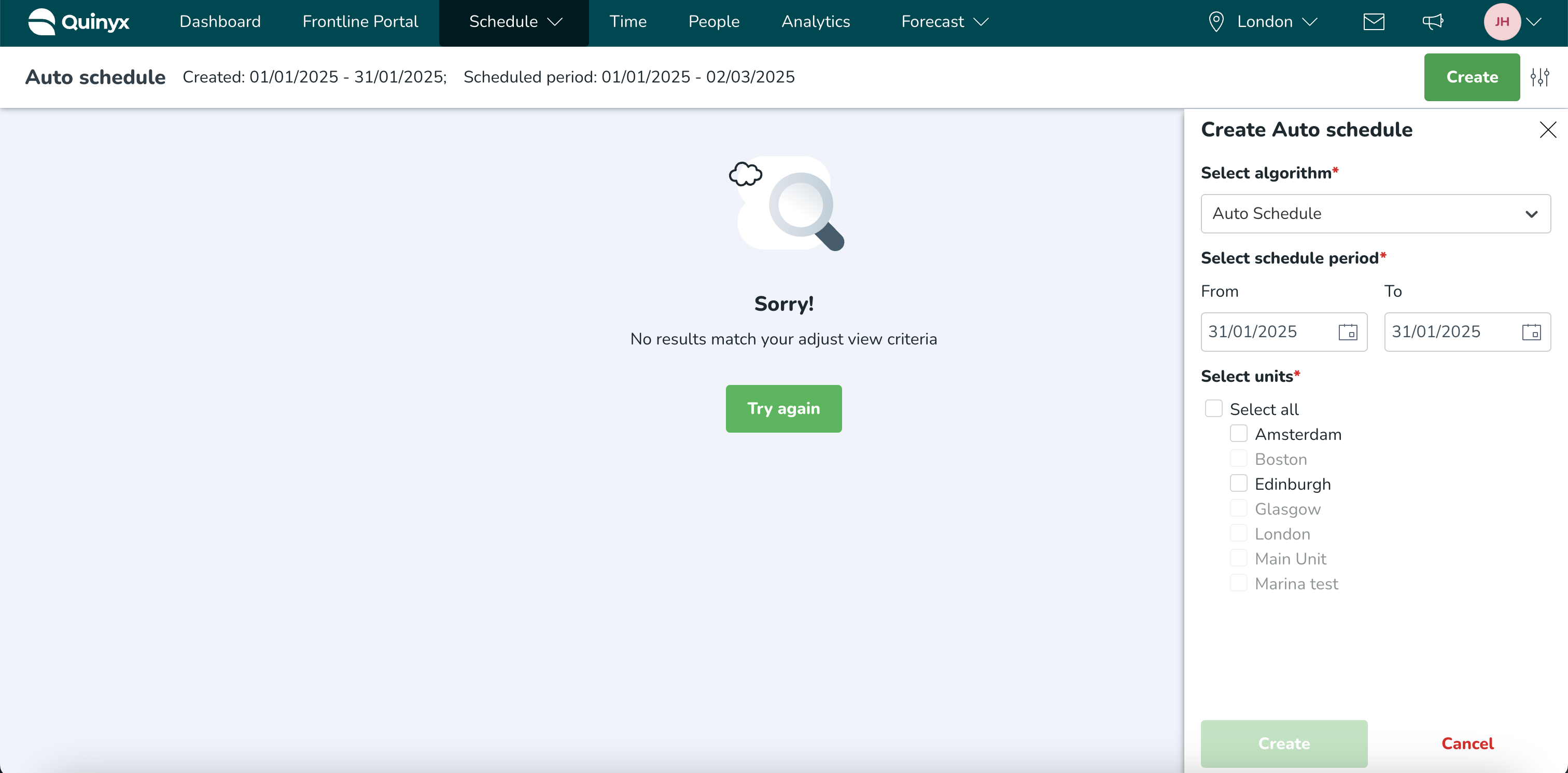
Algorithm settings - Selecting which units are able to run Auto Schedule, Auto Assign and Demand Forecast
 Updated
by
Daniel Sjögren
Updated
by
Daniel Sjögren
On the Algorithm settings page, it's possible to make settings for certain aspects of your algorithms. Currently, you can select which districts and/or underlying units of your organization can run each algorithm (Auto Schedule, Auto Assign and Demand Forecasting) separately on the Algorithm settings page.
For example, you can enable Demand Forecasting for the whole organization while limiting Auto Schedule to a pilot district.
How to set which units can run the algorithms
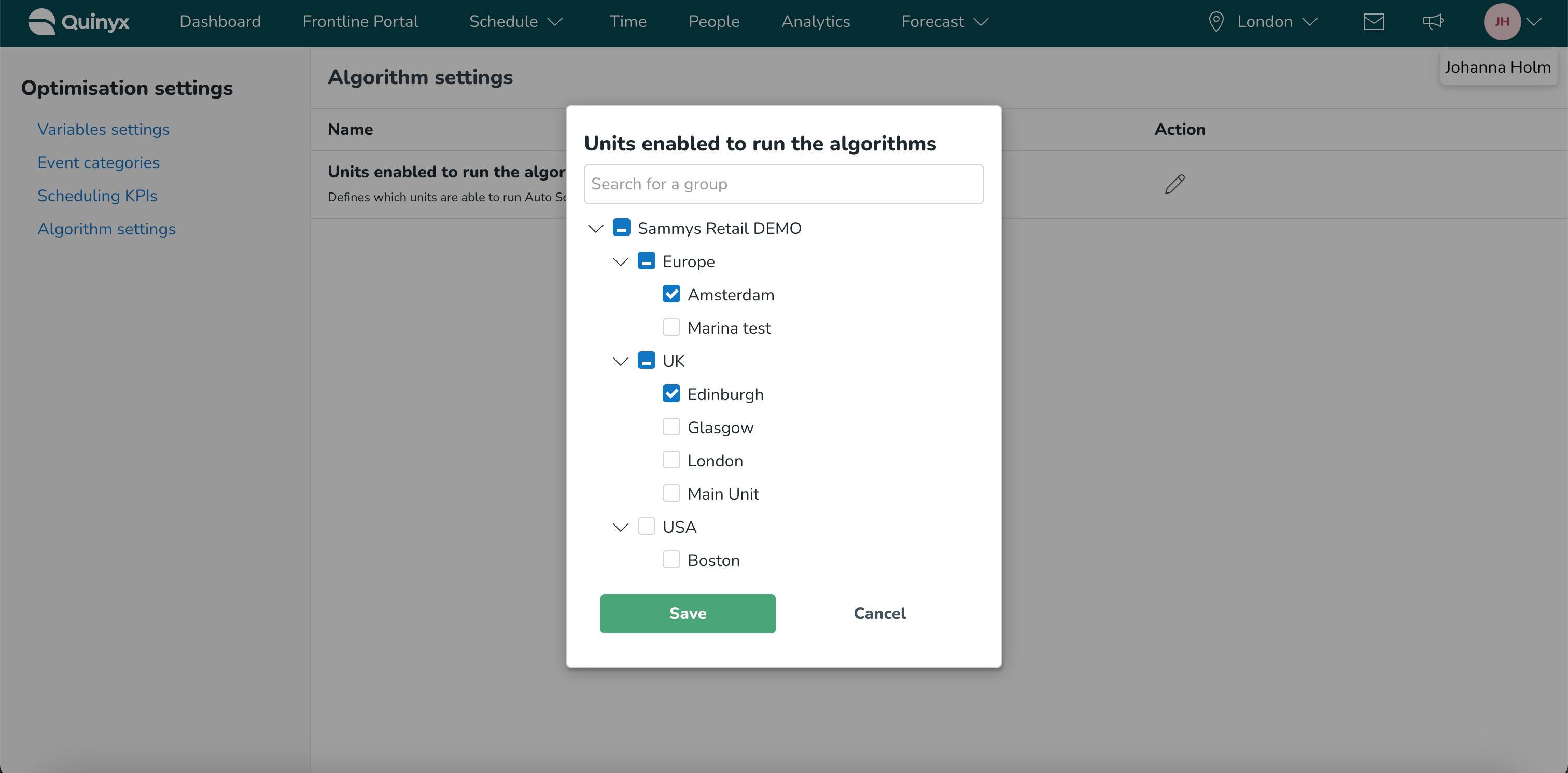
In Algorithm settings, you will see an option called Units enabled to run the algorithms. Selecting the edit icon opens up a group tree. You can either select individual units, a whole district (which will autofill all units within that district), or the entire organization (which will autofill all units within the entire organization). By default, the entire organization will be enabled.
The selection of units will control which units are available to select and which units are grayed out when trying to run the Auto Schedule, Auto Assign, or Demand Forecasting algorithms.