Employee Hub - Archived users on active tasks
 Updated
by
Victor Jespersen
Updated
by
Victor Jespersen
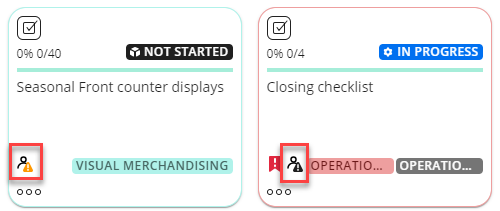
Archived user icon
When an archive user is on an active task, a warning sign icon will notify users to cancel the task for the archived recipients.
The yellow warning sign will appear when a user has been archived since the last time the task was selected. Once the task has been selected, the warning sign will turn black to notify you that archived users exist under the task.
Cancel active tasks for archived users
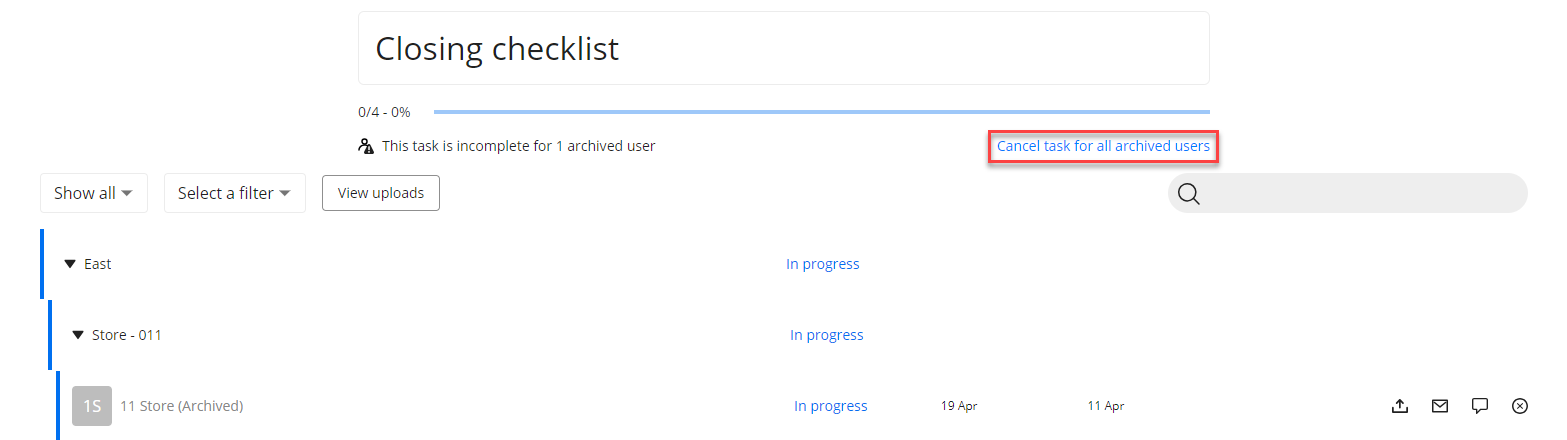
If the user who started the task gets archived, the task will be populated with an archived user icon. In these instances, you will find a button that states Cancel task for all archived users. Selecting the button will cancel all tasks for the archived users. Alternatively, someone else in the store can click on the deleted user in the list and select Take on task to ensure its completion.