Advanced Analytics - Shift types dashboard
 Updated
by
Daniel Sjögren
Updated
by
Daniel Sjögren
Introduction
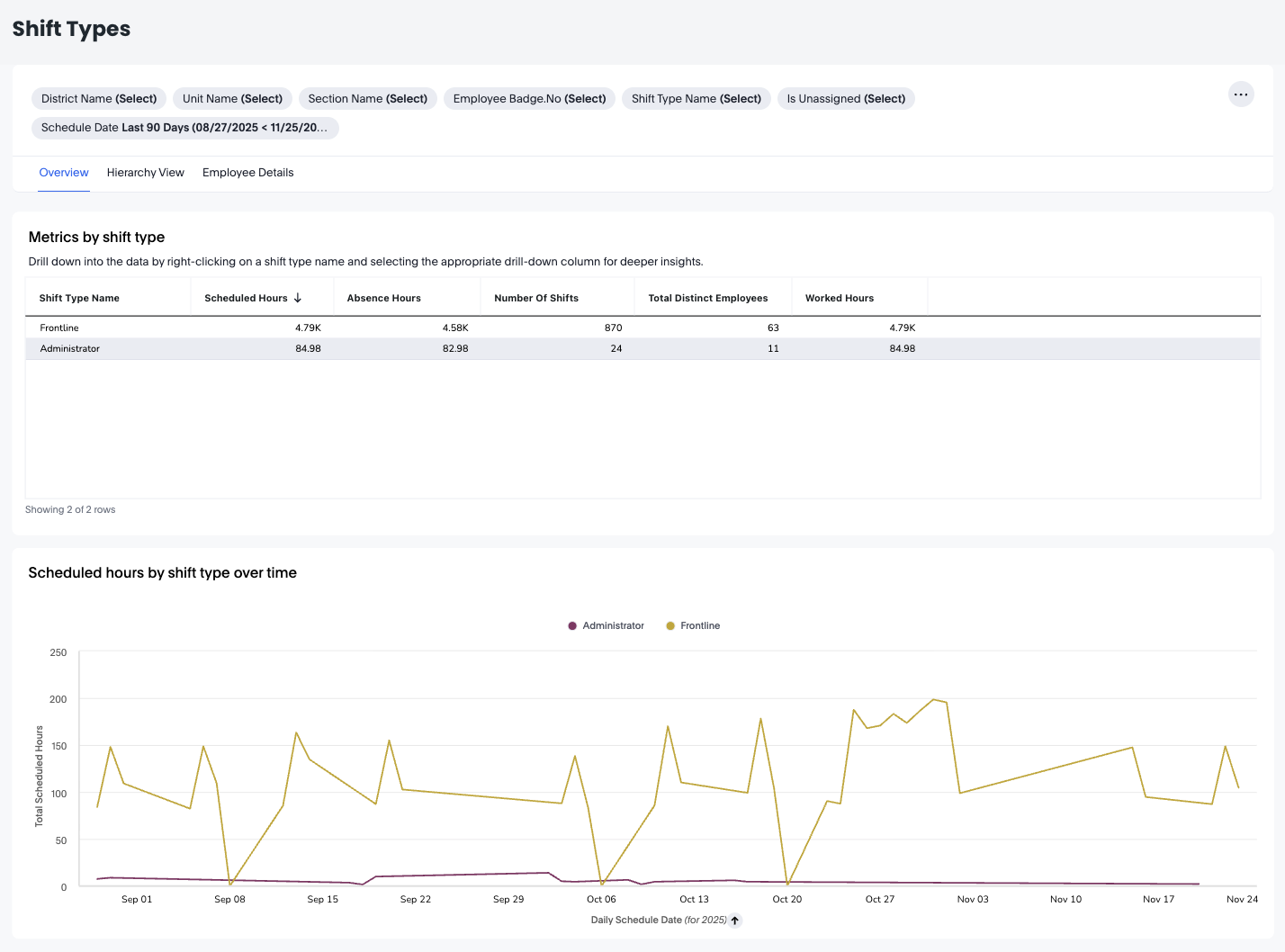
The Shift Types Dashboard offers a detailed overview of how different shift types contribute to scheduled hours, worked hours, and absence hours within your organisation. This dashboard is especially helpful for operational managers, workforce planners, and HR partners who want to understand how frontline and administrative shift types are distributed across units, sections, and employees.
With organisational drill-downs, time-series analysis, and employee-level details, the Shift Types Dashboard helps you optimise staffing plans, evaluate workload distribution, and improve scheduling accuracy.
How it works
The dashboard contains three complementary analytical views:
- Overview – Top-level metrics and time-series insights for each shift type
- Hierarchy View – Breakdown by district, unit, and section
- Employee Details – Shift type hours per individual employee
Each view supports sorting, filtering, exporting, presenting, and scheduled reporting.
Overview Tab
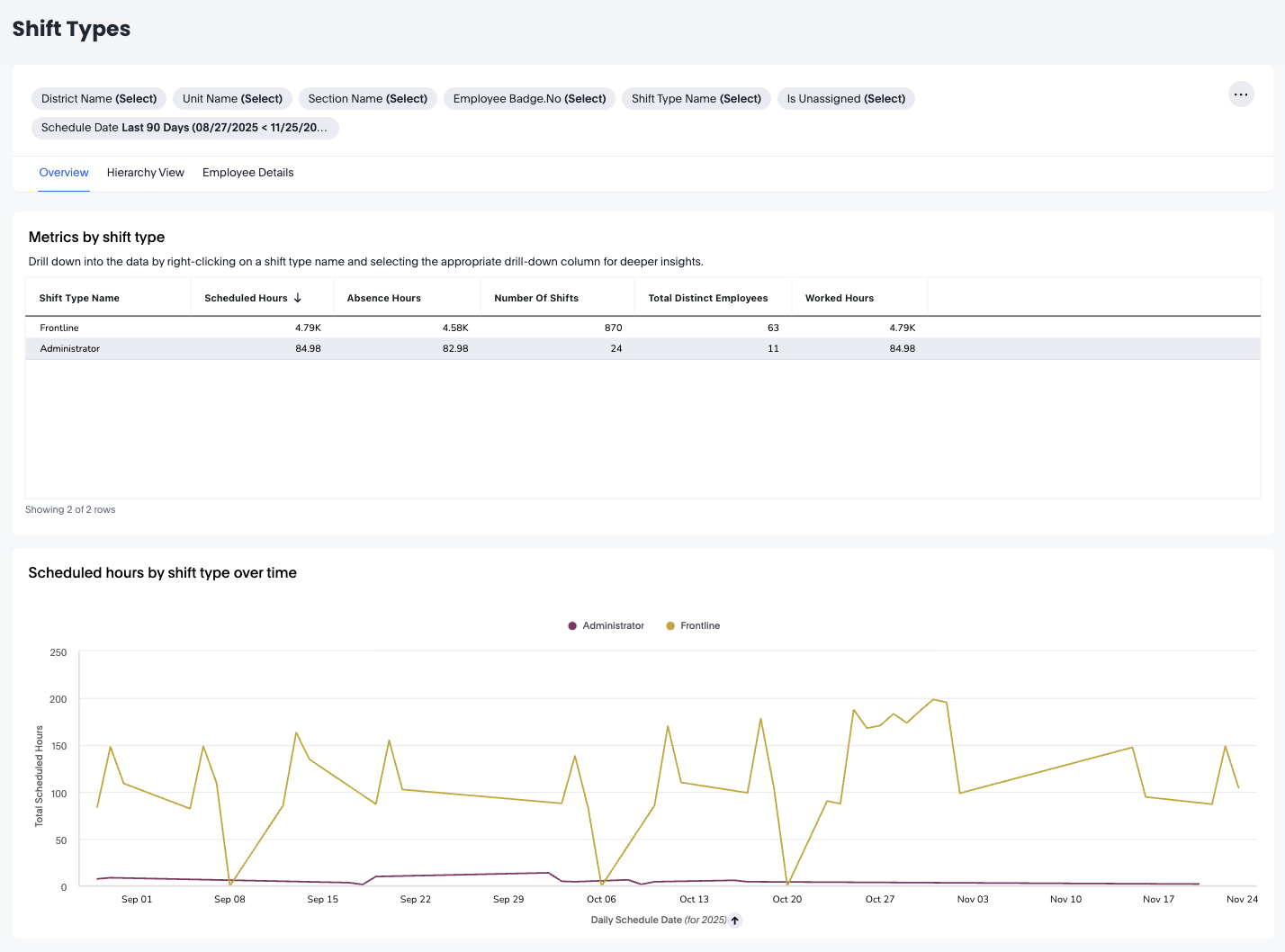
The Overview tab provides high-level insight into how each shift type contributes to the workforce across the selected period.
Metrics by Shift Type
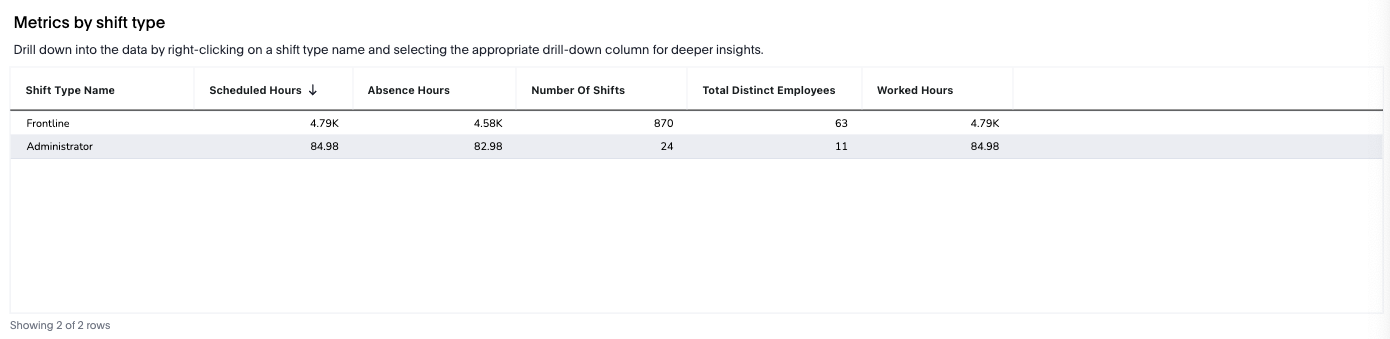
The table contains key measures per shift type:
- Scheduled Hours – Total planned hours for the shift type
- Absence Hours – Hours where scheduled shifts resulted in absence
- Number of Shifts – Total shift instances
- Total Distinct Employees – Number of unique employees assigned
- Worked Hours – Actual hours worked
This allows you to quickly compare shift types—e.g., Frontline vs Administrator.
Scheduled Hours by Shift Type Over Time
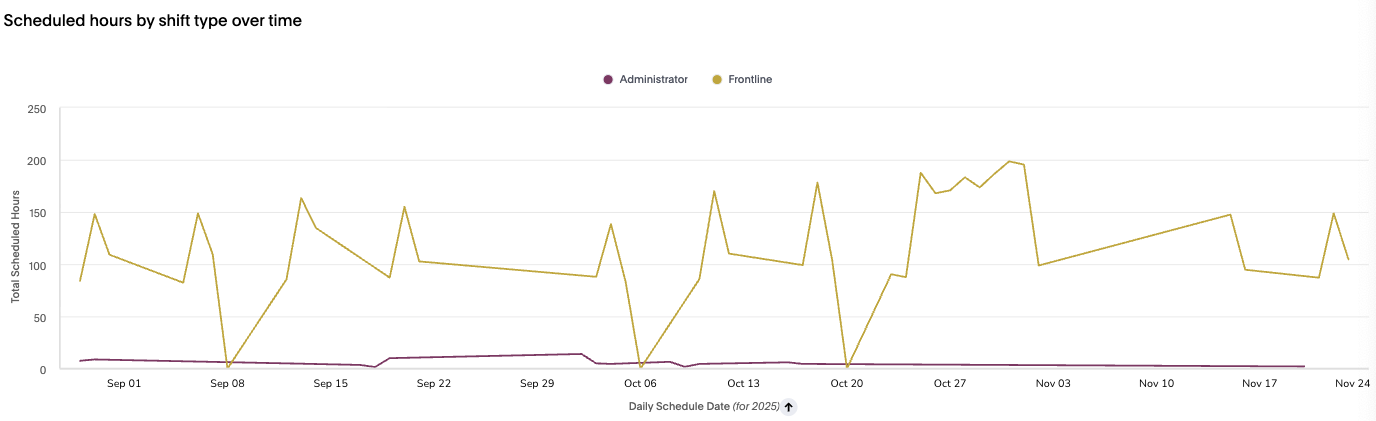
A trend chart that shows how scheduled hours fluctuate day-by-day for each shift type. Useful for identifying:
- Seasonal patterns
- Weekly workload cycles
- Anomalies or dips in specific shift categories
Hierarchy View Tab
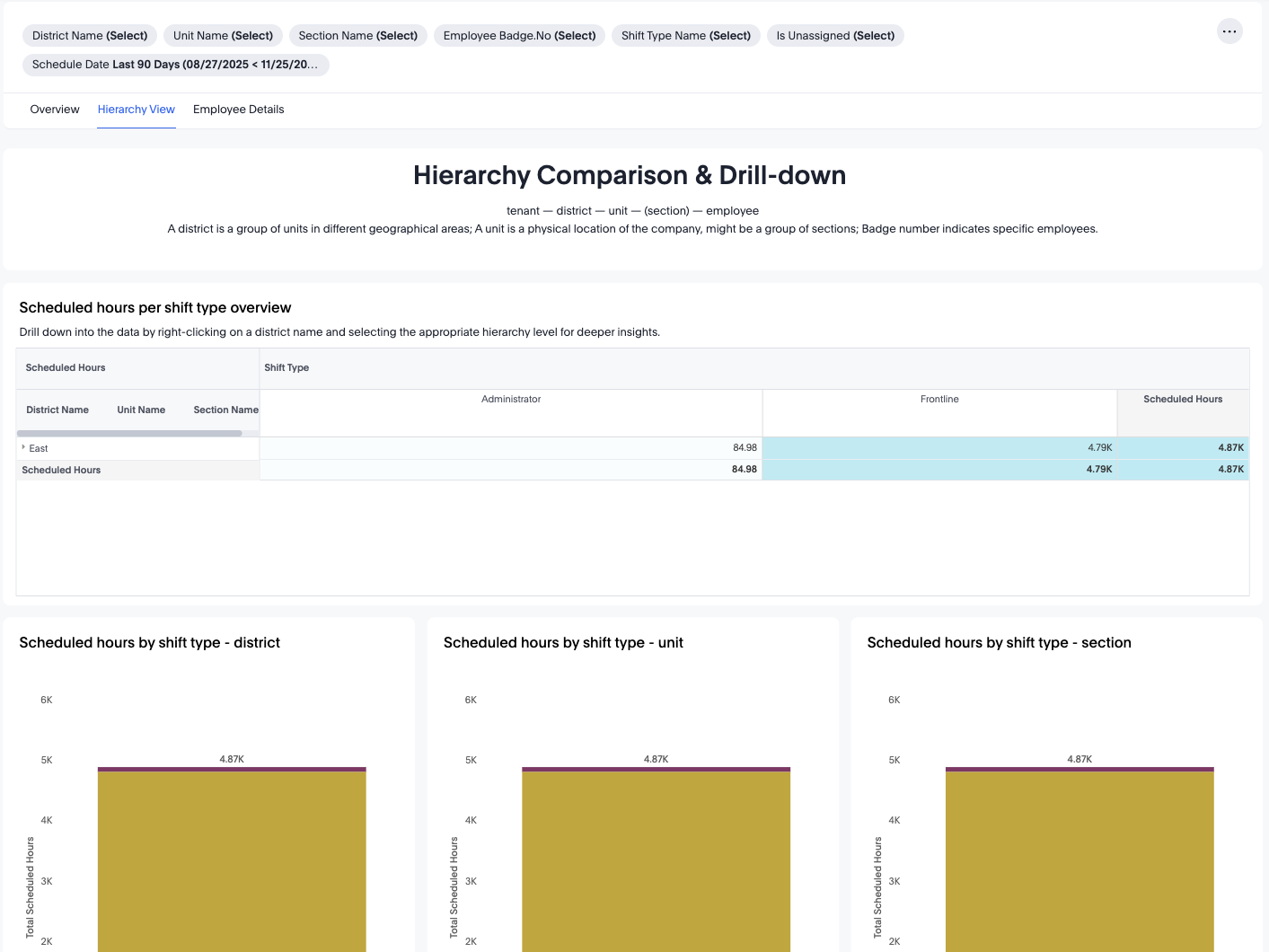
The Hierarchy View allows you to explore scheduled hours by organisational structure:
Tenant → District → Unit → Section → Employee
Scheduled Hours per Shift Type Overview
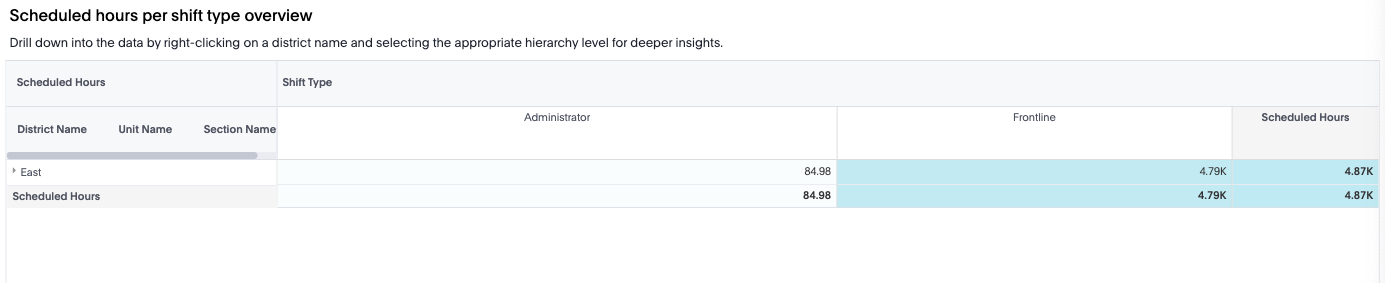
This drill-down table shows:
- Shift Type (e.g., Frontline, Administrator)
- Scheduled Hours at each organisational level
- Aggregated totals and subtotals
You can right-click on any level (district/unit/section) to drill deeper.
Bar Charts: Scheduled Hours by Shift Type
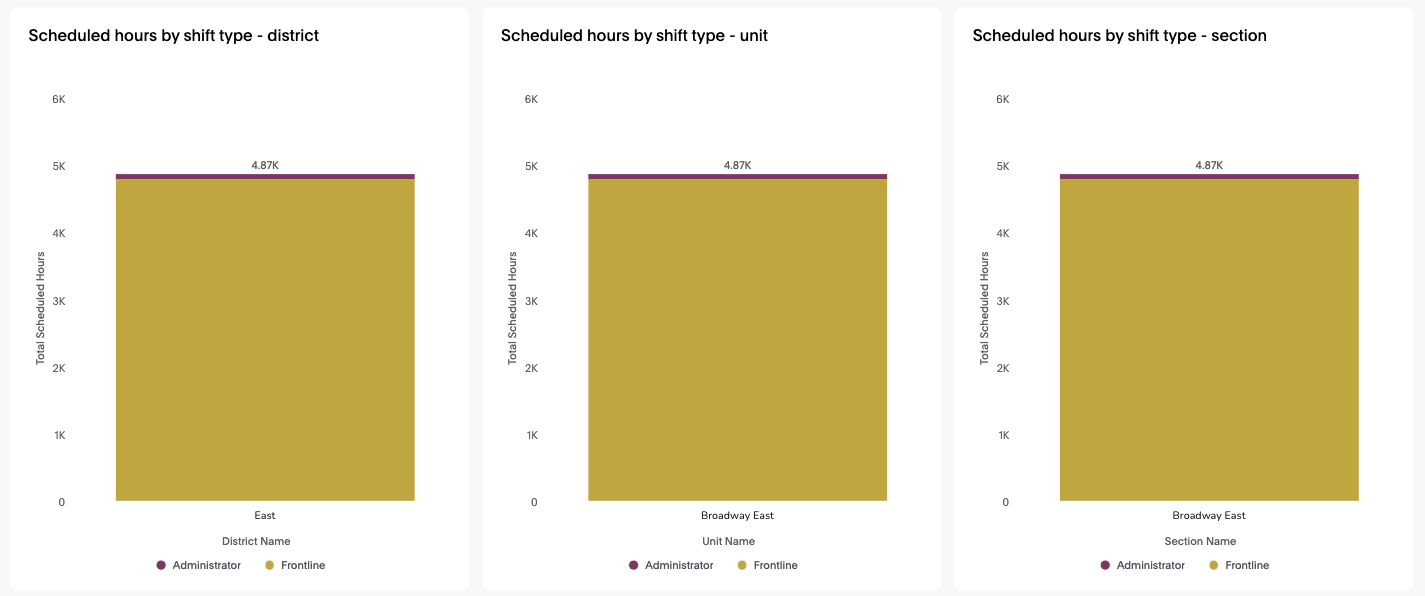
Charts included:
- Scheduled hours by shift type – district
- Scheduled hours by shift type – unit
- Scheduled hours by shift type – section
These help identify:
- Whether certain shift types dominate a district or unit
- How frontline and administrative work is distributed
- Capacity differences between organisational levels
Employee Details Tab

The Employee Details tab shows a detailed list of employees and the hours attributed to each shift type.
Employee details by shift type
Columns include:
- Badge Number
- Unit Name
- Section Name
- Shift Type Name
- Scheduled Hours
- Worked Hours
- Absence Hours
This view is limited to the first 500 rows for performance but can be filtered further.
This tab is ideal for:
- Identifying employees working the most hours in certain shift types
- Reviewing absence distribution per employee
- Investigating workload fairness across teams
Practical Use Cases
- Analyse Workload Differences
Determine whether frontline vs administrative shifts are balanced across organisational units.
- Review Scheduling Efficiency
Compare scheduled vs worked hours to understand coverage accuracy.
- Identify Operational Bottlenecks
Shift types with consistently high absence hours may signal training gaps or environmental issues.
- 4. Conduct Workforce Planning
Use trends to anticipate peak periods and prepare appropriate staffing.
- 5. Employee-Level Analysis
Employee Details helps managers identify:
- Staff with consistently high shift hours
- Overworked or underscheduled employees
- Individuals with recurring absences tied to certain shift types
- Improve Cost and Resource Allocations
Shift type data supports budgeting for:
- Overtime
- Seasonal surges
- Role-specific staffing needs
Conclusion
The Shift Types Dashboard provides deep insight into the structure, distribution, and performance of various shift types across your organisation. With its flexible hierarchy navigation, detailed employee view, and powerful export and automation tools, this dashboard empowers leaders to make informed decisions regarding workforce planning, scheduling optimisation, and resource allocation.
