Shared Employee Absence Management FAQ
 Updated
by
Daniel Sjögren
Updated
by
Daniel Sjögren
The purpose of this article is to try to answer the most common questions regarding Shared Employee Absence Management (SEAM). As time goes by, this FAQ will be updated with more Q&A's.
To better understand the SEAM functionality, let’s start by taking an example of an employee, Callum Hanson, shared & scheduled across three units Store 1, Store 2 and Store 3 from 15th to 19th December 2025. Let’s say Callum has:
- Shifts in Store 1 on Monday and Wednesday
- Shifts in Store 2 on Tuesday and Thursday
- Shifts in Store 3 on Friday

Q: What happens when Callum requests an absence that week?
A: The absence applies to all scheduled shifts during that period, regardless of which unit’s manager approves the request.
Q: Does it matter which manager from the selected unit approves the absence?
A: No. Let’s say Callum selects the manager Justin Guss from Store 3 to review the absence request. In this case, Justin Guss and other managers in store 3 with permissions from Store 3 can decide on this absence request.
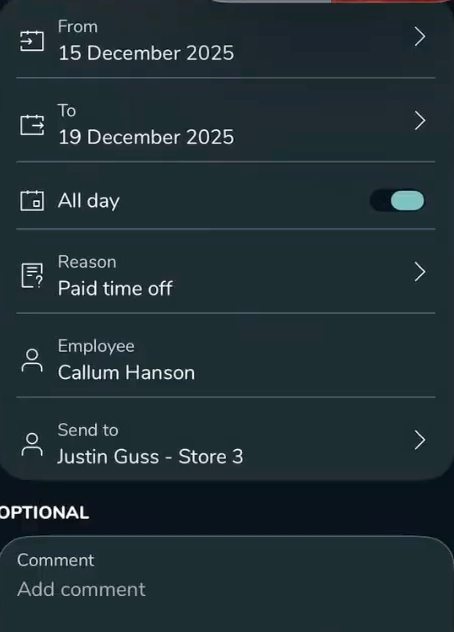
Even if the absence request is directed to and approved by only one manager, the approval applies globally to the employee for the requested time period.
Once approved:
- All shifts for that employee within the absence period are affected
- This includes shifts scheduled in other units (Store 1 and Store 2)
Q: What happens to shifts in the other units after approval?
A: When the absence is approved:
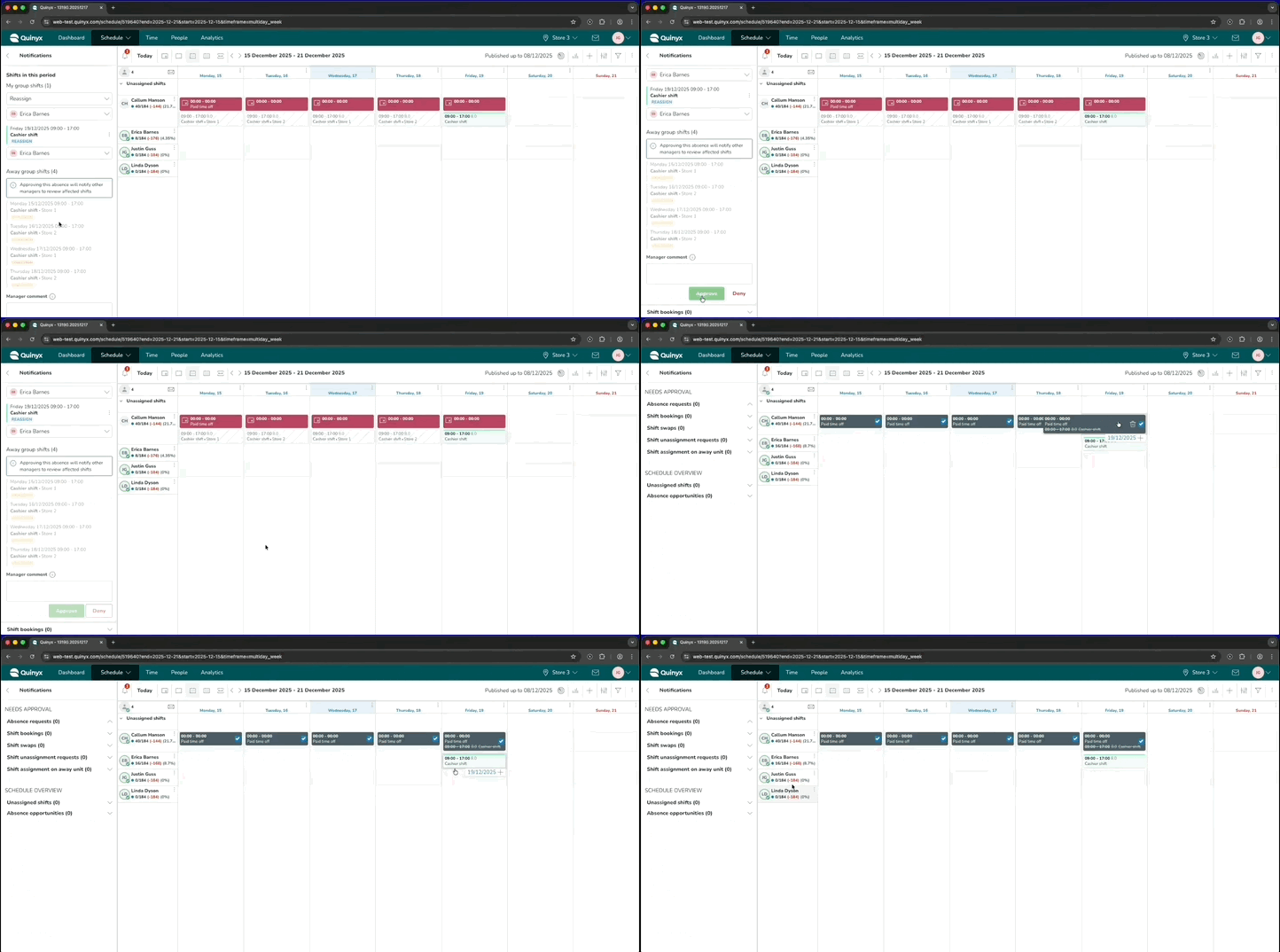
- Shifts in all affected units are automatically unassigned (in this example Store 1 and 2)
- Managers of the other units receive a notification, and those managers are expected to take appropriate actions on their shifts.
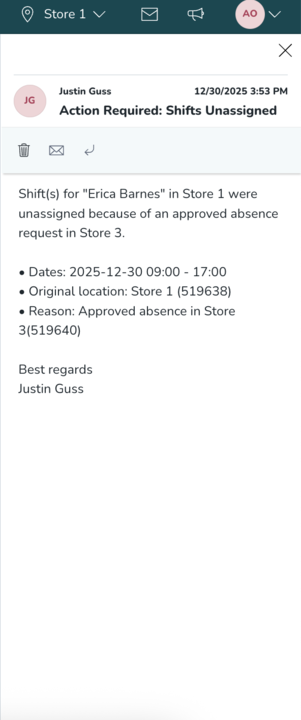
This ensures each unit retains control over how uncovered shifts are handled.
Q: Will payroll be calculated correctly across units?
A: Yes.
From a payroll and reporting perspective, the system:
- Splits the absence hours based on where the employee was scheduled
- Attributes absence hours to the correct unit and day
For the above example:
- Store 1: shifts on Monday and Wednesday
- Store 2: shifts on Tuesday and Thursday
- Store 3: shift on Friday
The payroll data will correctly record:
- Absence hours for Store 1 (Mon & Wed)
- Absence hours for Store 2 (Tue & Thu)
- Absence hours for Store 3 (Fri)
No manual payroll adjustment is required.
For e.g in the screenshot below for store 2 on 18th (Thu), the absence salary will be generated for the underlying shift hours affected by that absence approval.
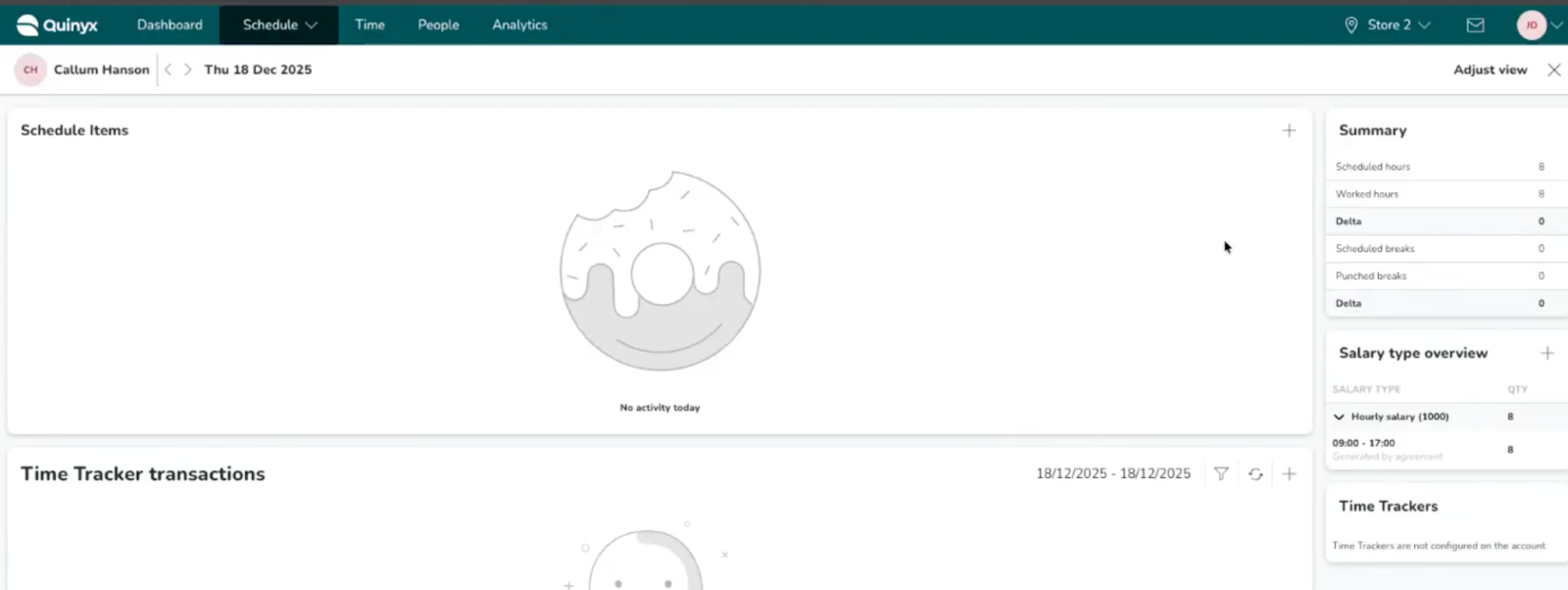
Q: What will managers see in the UI?
A: Approving managers will only see the impact of the absence within their own unit. In our example:
- Store 1 and 2 manager will see the absence affecting some shifts in their unit but not the details of it.
- Store 3 manager will see only Store 3 shifts.
Managers do not currently see a combined, cross-unit visual representation of the employee’s absence impacting salary.
In the screenshot below the approving manager from Store 3, you can see the absence affecting their unit shift:

However, the other unit managers for e.g. store 2 can see that the absence shift affects existing shift but doesn’t give details and times.

Q: Is this expected behavior?
A: This is designed system behavior, and this limited cross-unit visibility of absences in the UI is a known visual limitation.
An improvement to provide better cross-unit visibility for shared employees is being considered for a future release.
