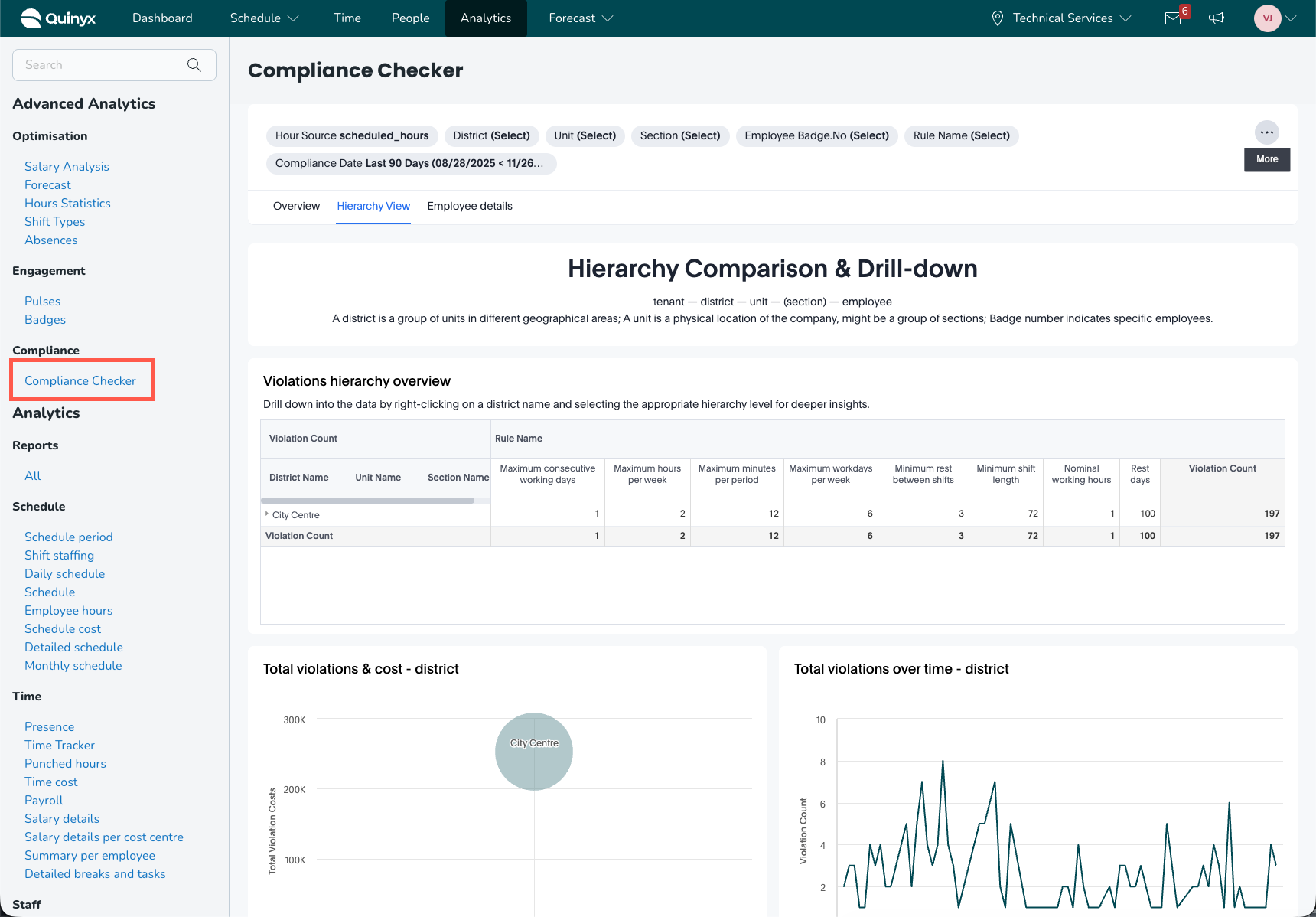
Advanced analytics - Accessing the advanced analytics dashboards
 Updated
by
Daniel Sjögren
Updated
by
Daniel Sjögren
Accessing the advanced analytics dashboards
Enabling access
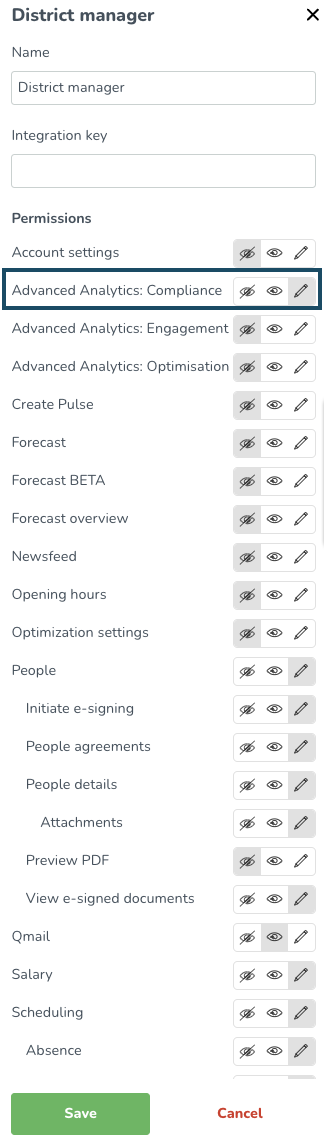
Once the Advanced Analytics modules have been activated, you can enable access for it by going to Account settings > Role management > [insert selected role] > Edit role > Advanced Analytics: "The area you want to enable".
The position of the role within the organizational hierarchy will determine the scope of compliance data that is available to you. For example, if you activate Advanced Analytics: Compliance for a District Manager role, you will be able to see compliance data on a district level. Consequently, if you hold the District Manager role within a specific district, you will have access to the compliance data for that district, as well as for the units that are part of it.
Different advanced analytics modules
There are three different advanced analytics modules with different dashboards. Each module has its own access right under the roles permission. Below you can find the different areas and the dashboards you can find under each module.
Optimisation |
|
Engagement |
|
Compliance |
|
How to access the dashboards
To access the dashboards, navigate to Analytics > Advanced Analytics.