Understanding Vuosivapaa accrual and consumption
 Updated
by
Leigh Hutchens
Updated
by
Leigh Hutchens
Vuosivapaa is a type of accrual of annual leave entitlement used in Finland. This is especially common for companies working in the hospitality and retail sectors and is required by law.
Annual leave is accrued for each calendar year by virtue of:
- The actual number of hours worked
- Absences are not counted towards the accrual
How the logic works
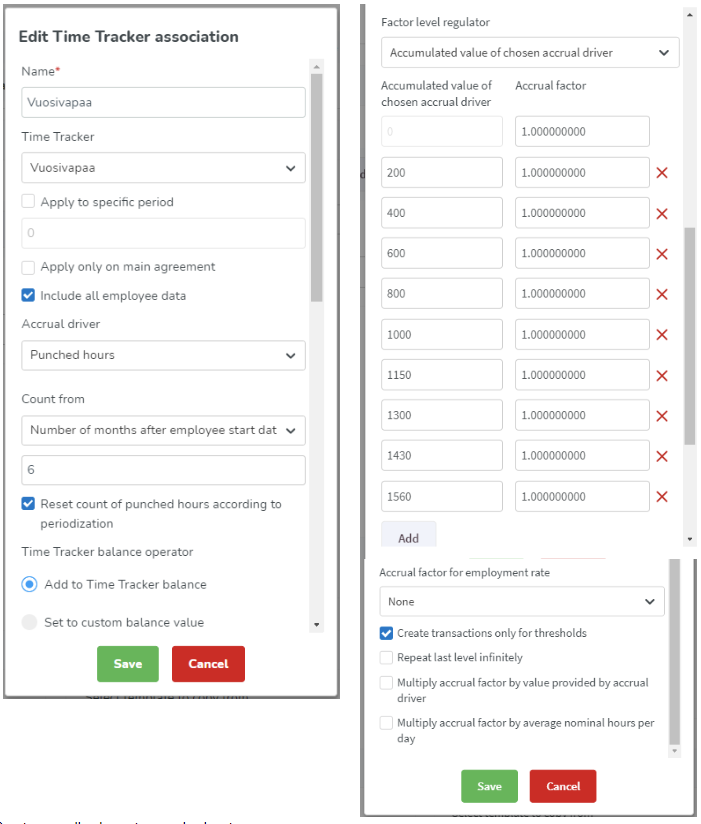
An accrual time tracker is set up to count the punched hours. The hours are counted on different levels where each level accrues one day of vuosivapaa. There is a 2-6 month buffer before the accrual starts depending on the sector. You can set it up on the agreement of the employee.
For every new year, the time tracker calculation resets. This allows for the employee to start accruing new annual leave days.
The vuosivapaa-time tracker balance is used together with an absence type titled "Vuosivapaa". Every time the employee takes an annual leave day/vuosivapaa, it gets deducted from the vuosivapaa-time tracker balance.
Even if shifts are created via integration, the underlying logic remains intact.
Vuosivapaa - how to set up the logic
- Create a time tracker by navigating to Account settings > Agreements > Time Trackers > Add Time Tracker.
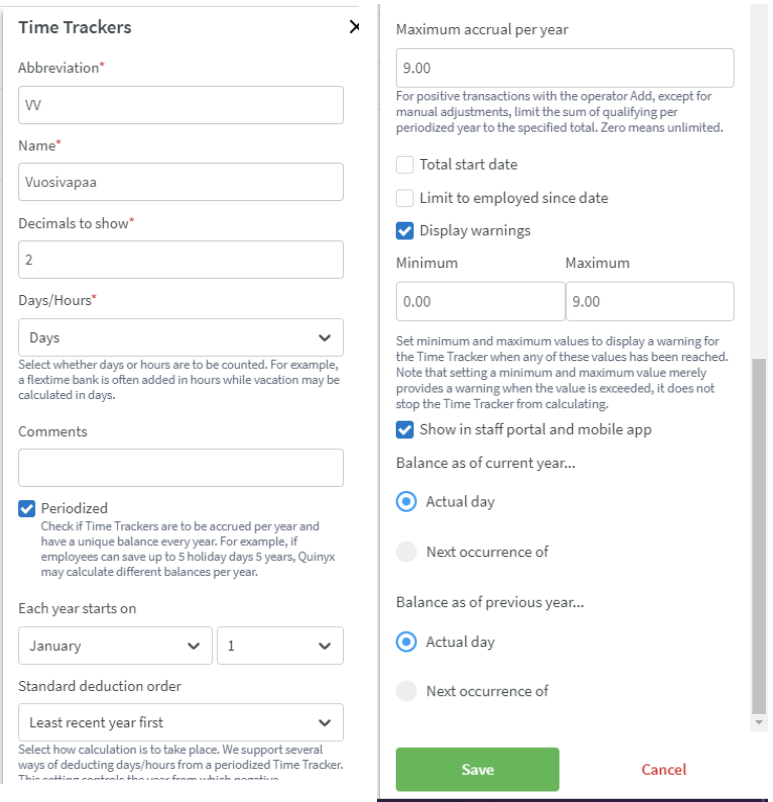
- Create an accrual time tracker from the agreement template. Here you will add the various accrual factor levels depending on your sector.
Important note!
- "Apply on main agreement" = Checked if employee has overlapping agreements, unchecked if employee has consecutive agreements.
- "Include all employee data” = If checked, will count hours towards vuosivapaa accruals in all consecutive agreements (if it is unchecked, it will calculate only for the latest agreement)
- Create a salary type by navigating to Account settings > Agreements > Salary types.
- Connect it to the Vuosivapaa- time tracker. This is done from Agreement template > Salary types > Edit salary type > Time Tracker > Add.
- Create an absence type and connect the salary type to it.
- Connect an absence schedule to the absence type.
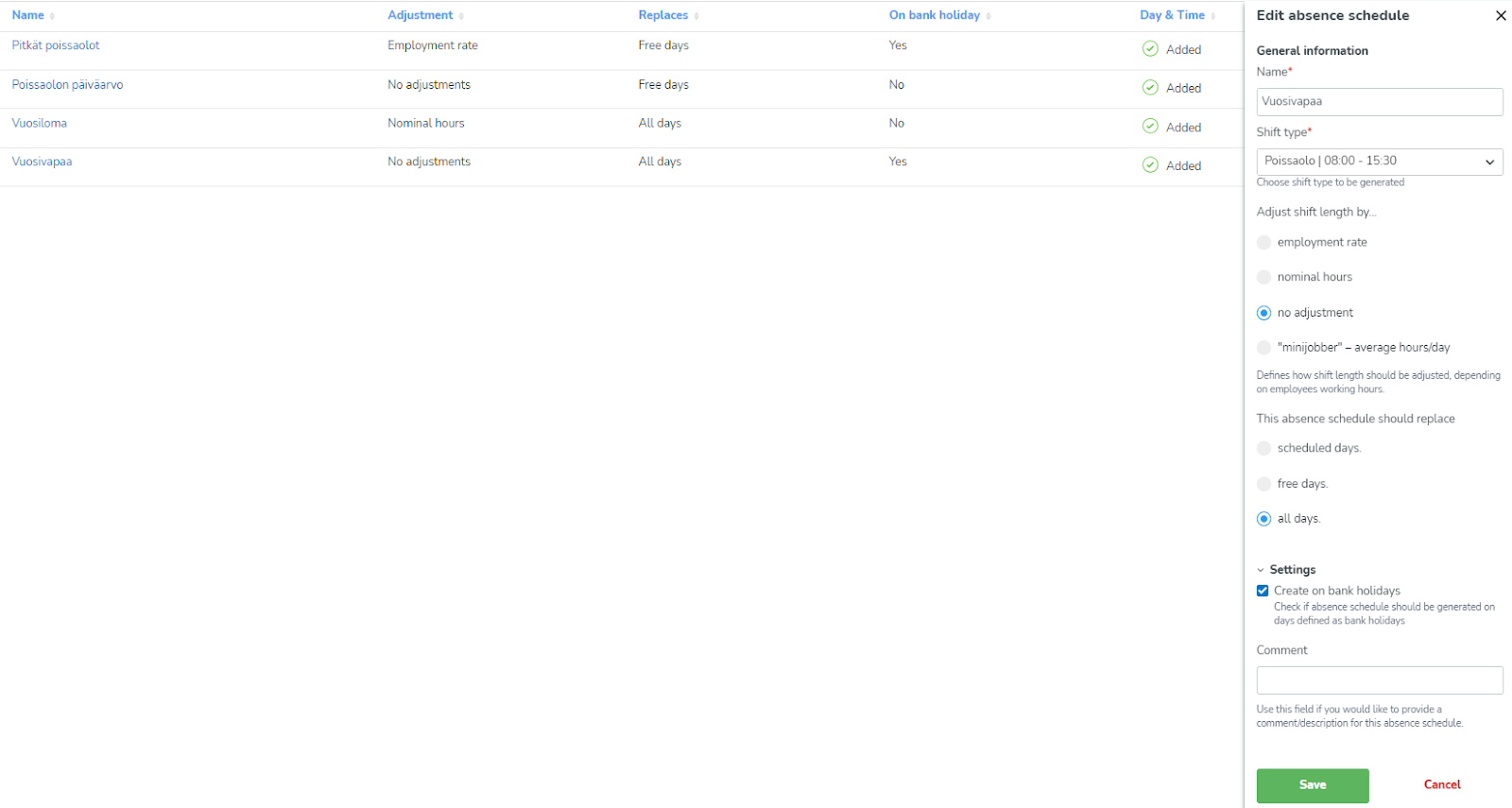
Alternatively, you can also create a time tracker association on the agreement template to deduct the Vuosivapaa days.
