Schedule Warnings
 Updated
by
Daniel Sjögren
Updated
by
Daniel Sjögren
Warnings during scheduling help managers follow legal and contractual rules while planning shifts. Scheduling warnings and rules highlight compliance risks in real time—either by blocking actions that are not allowed or by warning managers so they can make an informed decision before creating or updating a shift.
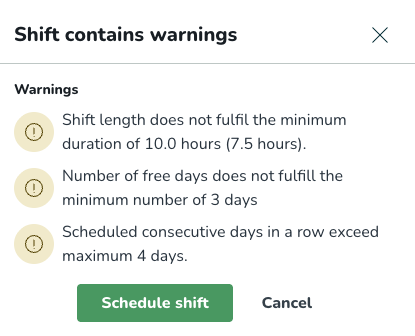
Different types of scheduling warnings (system support):
- Warnings: Overridable dialogues informing the scheduler about compliance issues in their current action.
- Hard stop: Dialogues that prevent a scheduling action completely because of a severe compliance breach.
Schedule warnings dialogue
The warnings dialogue will show all existing warnings or hard stops for unique rules, meaning that if there’s a rule type that is violated on two separate levels, the more constricting one will show, or with the most severe system support.
Additionally, if the system administrator has set the system support to silent, you will not receive any warning on the rule.
Edit warning settings
To edit the warning settings, you need to have access to account settings, which is usually reserved for super users.
