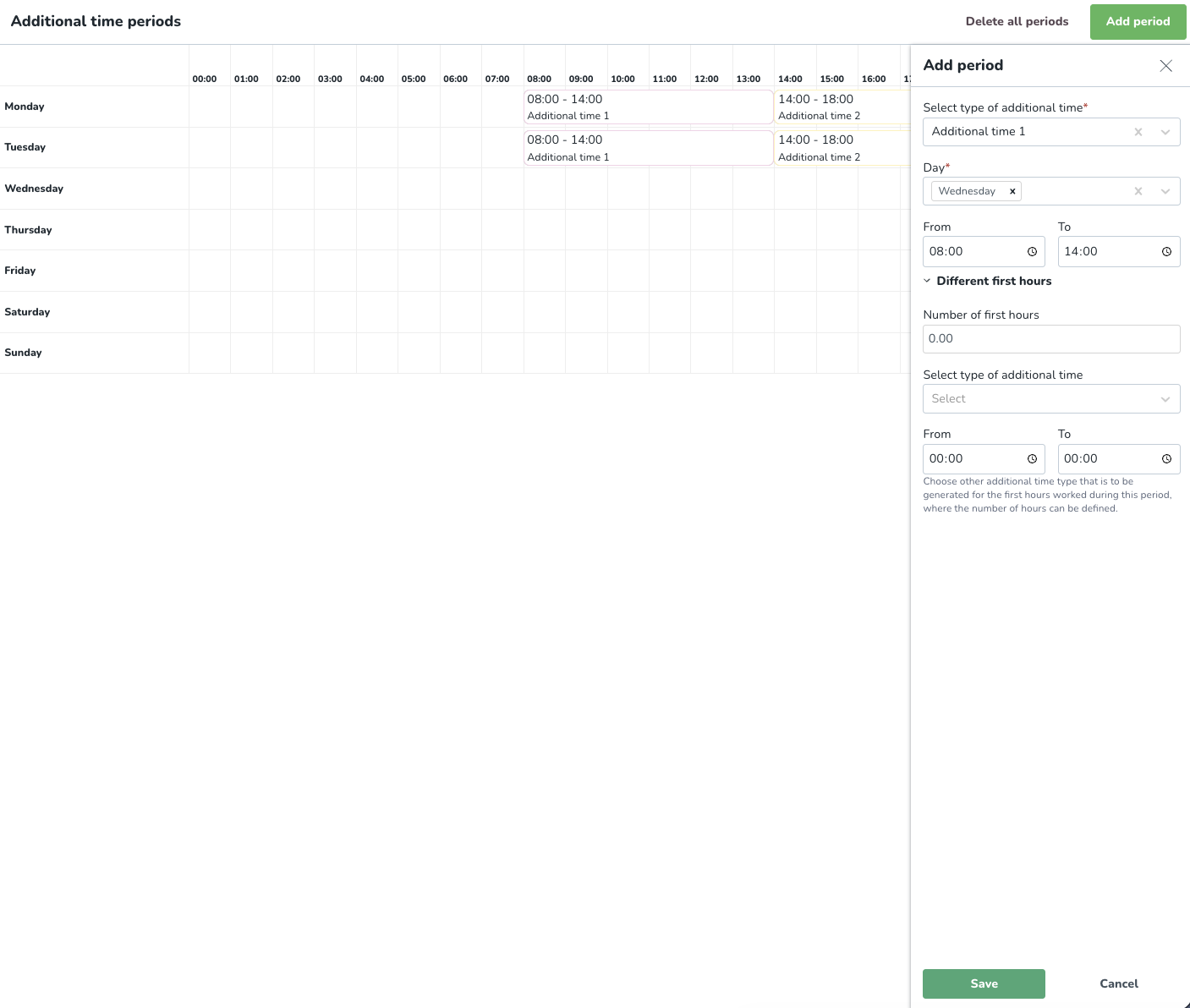
Advanced Additional time period configuration
 Updated
by
Daniel Sjögren
Updated
by
Daniel Sjögren
Advanced additional time periods
Additional time periods are set on an organization level to automatically attribute additional payouts to a part-time employee who logs a shift during a particular window. These global settings are then used by default in agreement templates and individual agreements.
Additional time periods are defined on a day level and are global for the account. If there are agreements where different additional time periods apply, it's defined in a particular agreement.
Adding additional time periods
During additional time periods, you can state the periods 00-24 from Monday to Sunday on which additional time is to occur.
- Type of additional time: Select the type of additional time you want to create.
- Day: You can select up to seven days.
- From/To: The time span over which the additional time exists.
Different first hours
Here you can choose other additional time types that are to be generated for the first hours worked during this period, where the number of hours can be defined.
- Number of first hours: Enter the number of first hours.
- Select the type of additional time: Select the type of additional time you want to create.
- From/To: The time span over which the additional time exists.