Mobile - Disable badges
 Updated
by
Victor Jespersen
Updated
by
Victor Jespersen
If badge notifications or recognition features are no longer needed, the mobile app allows badge functionality to be disabled. This article explains where to find the setting, what changes when badges are turned off, and what users can expect afterward.
Disable badges
To disable the badges feature, you can follow the steps below:
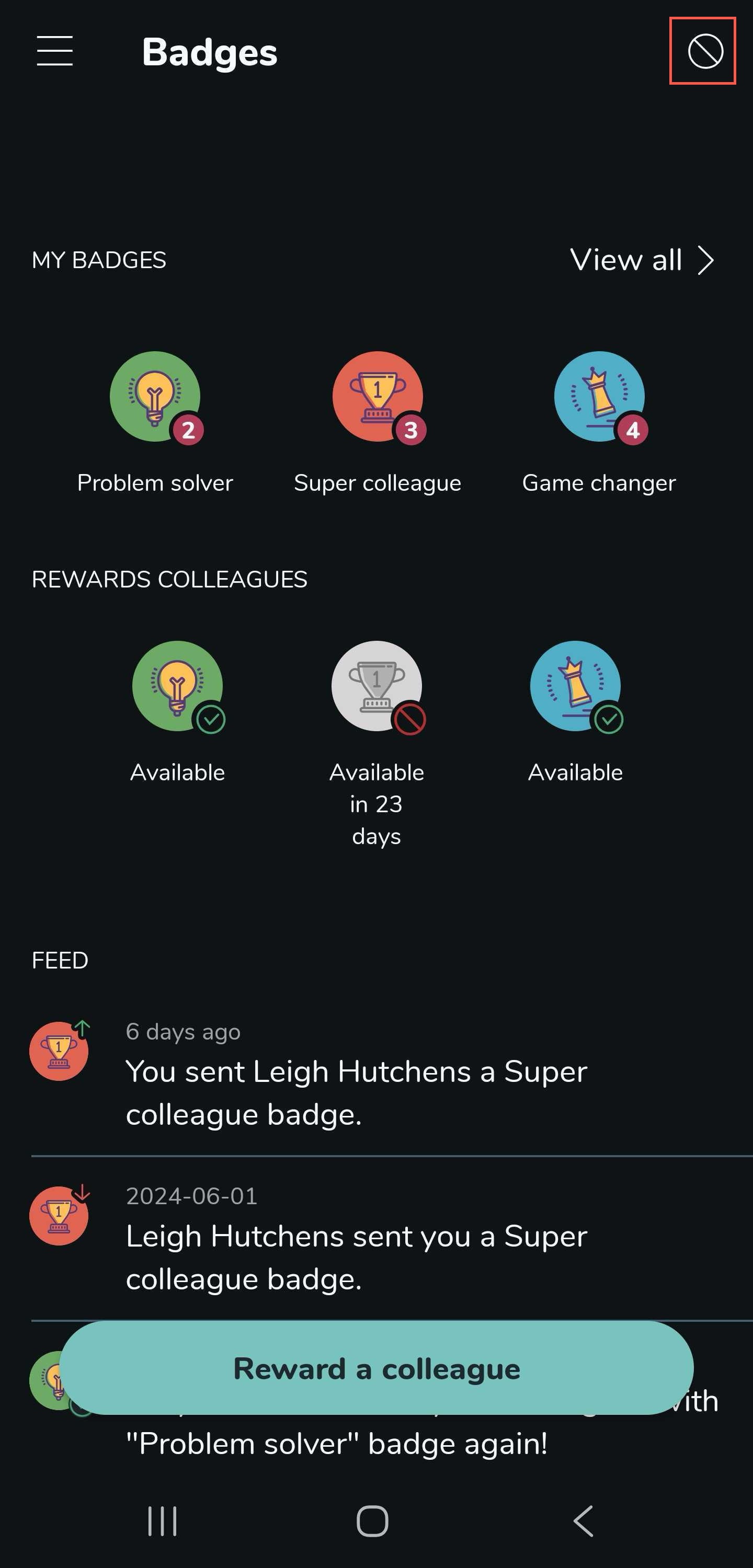
- Go to the badges tab.
- Select the stop icon in the top right corner.
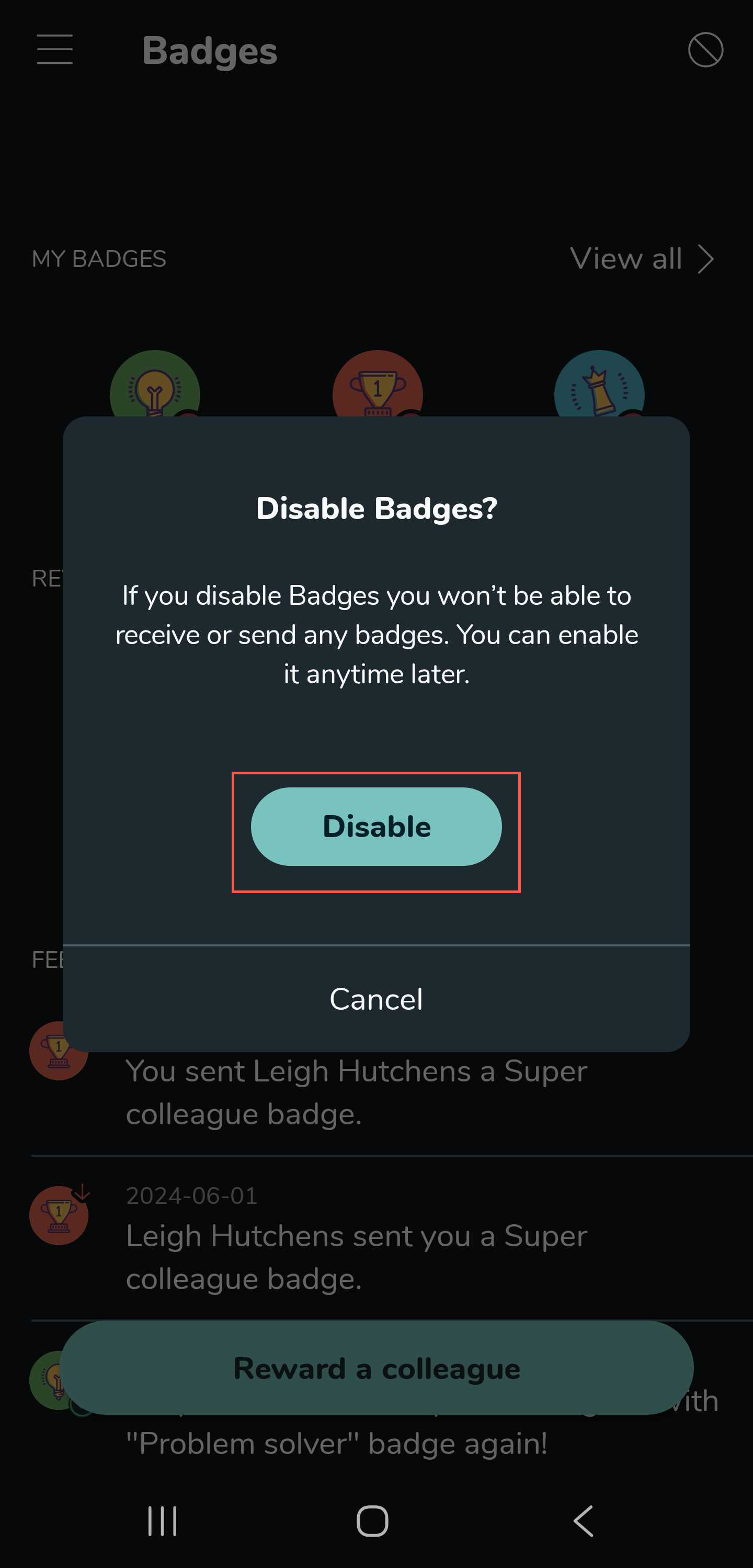
- Select the Disable button.
Re-enable badges
You can re-enable the badges functionality by selecting the Enable button.

What to expect when the functionality is disabled
- You will not be able to see your badges.
- You will not be able to see the details of the badges you have received.
- You will not be listed when a colleague searches for you in the badge page.
- The badges you received before the feature was disabled will disappear.
