Mobile - Get push notifications
 Updated
by
Victor Jespersen
Updated
by
Victor Jespersen
Setting up push notifications
You can enable and disable different kinds of notifications by following the instructions below:
- Select the hamburger menu.
- Select Settings.
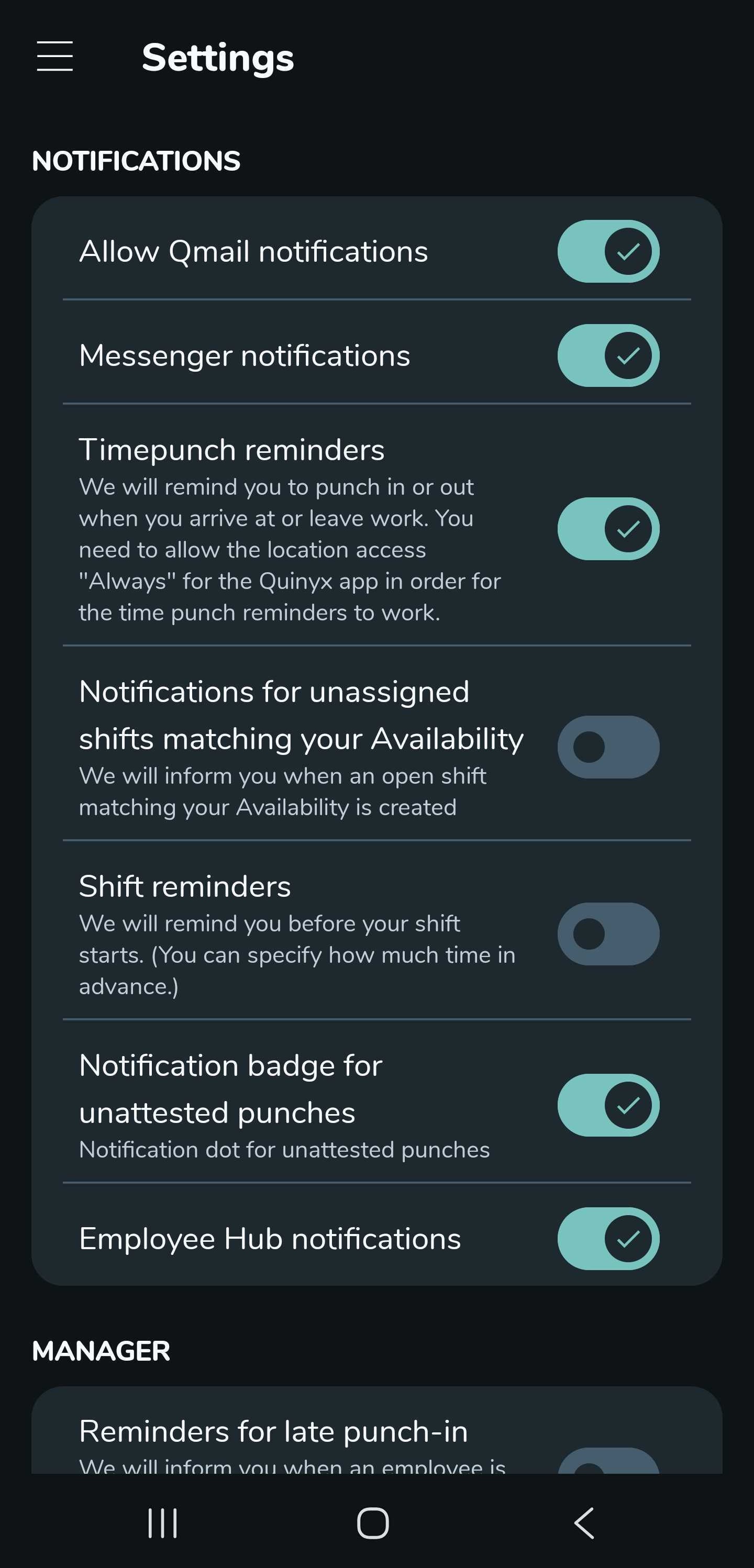
- In settings, you have the notification section where you can turn push notifications on or off by selecting them. The settings you can enable are:
- Allow Qmail notifications.
- Messenger notifications.
- Timepunch reminders.
- Notifications for unassigned shifts matching your Availability.
- Shift reminders.
- Notification badge for unattested punches.
- Employee Hub notifications.
- If you are a manager, you can find notification settings under a separate section called Manager. The settings you can enable are:
- Reminders for late punch-in.
- Reminders for late punch-out.
List of actions that generate notifications
An employee is notified when:
- A shift booking is approved
- A shift is assigned
- A shift changes
- A shift swap request has been approved
A manager is notified when:
- An employee requests a shift
- A shift request requires approval
- An employee submits a shift swap request
- An employee submits an absence request
