Mobile - Reward a colleague
 Updated
by
Victor Jespersen
Updated
by
Victor Jespersen
Colleague-awarded badges
Users are able to award badges to their fellow colleagues to reward them for being good colleagues. For instance, they might have helped out in a jam by taking over one of their shifts, helped them with a tough work task, etc. When awarding a badge to a colleague, you can write a short motivation/reason for the award.
There are three badges you can award your colleagues with right now:
- Super colleague
- Problem solver
- Game changer
A user is only allowed to issue one of each specific badge to a colleague once every month (30 days), to avoid badge inflation. When you award a badge, it will be clear which badges you can send right now, which ones have a cooldown time, and how much time is left in the cooldown time.
A colleague can receive the same badge from multiple colleagues - if this happens, it will be highlighted in the badges module as "Problem solver x3" to indicate that this person received this badge three times. You will also see that colleagues have received badges by an icon in the profile picture throughout the app.
How to reward a colleague
You can award a colleague by following the steps below:
- Go to the Badge tab.
- Select the Reward a colleague button.
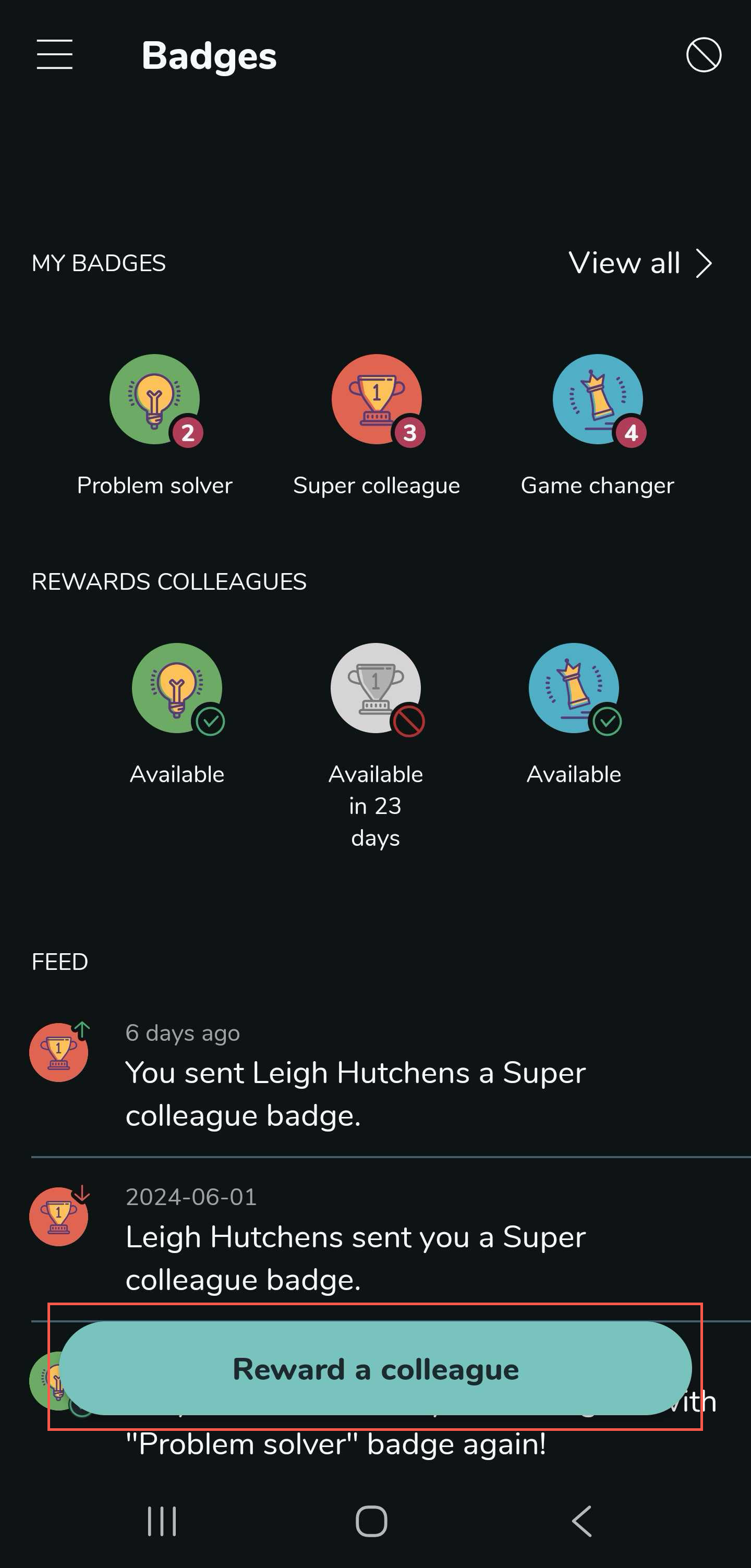
- Select a colleague.
- Select which badge to give.
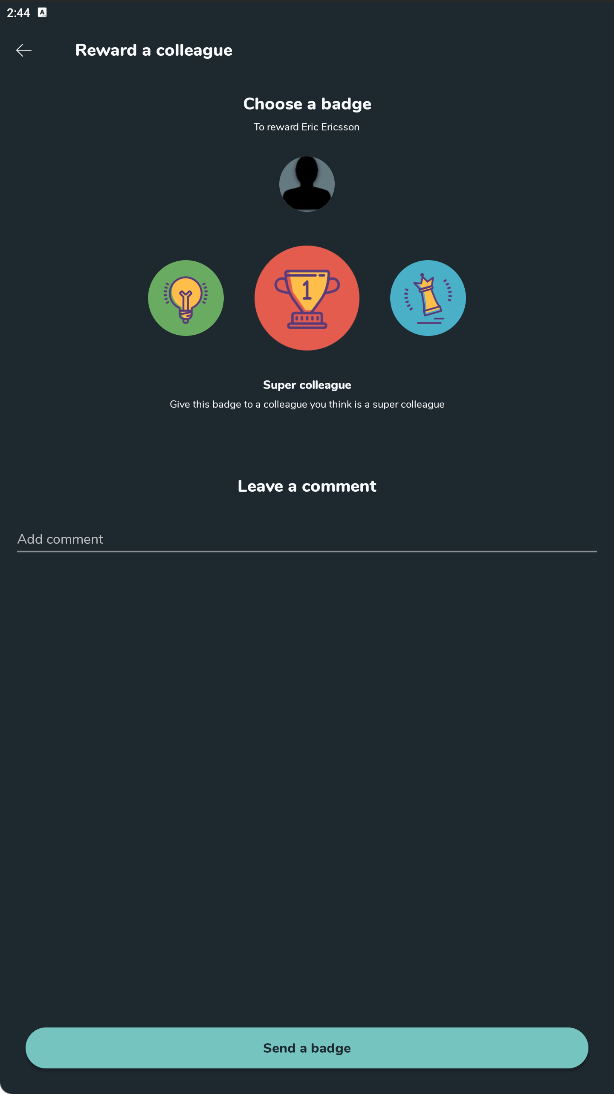
- Write a comment to your colleague that will be sent with the badge.
- Select the Send a badge button.
What happens when someone receives a badge?
- The user will receive a push notification via Qmail, which explains why they received it.
- The badge is shown in connection with the profile picture of the user, e.g., in the schedule and in the colleague list.
