Mobile - Approve a shift swap request
 Updated
by
Victor Jespersen
Updated
by
Victor Jespersen
Got a shift swap request? This is where you can look over the details of what your teammate is proposing. If the trade works for your schedule, you can agree to the switch in just a few clicks.
Approve a shift swap request
Follow the steps below to approve a shift swap request:
- Select the hamburger menu.
- Select Shift swap requests.
- Under the Received tab, you will be able to see all of your pending shift swap requests.
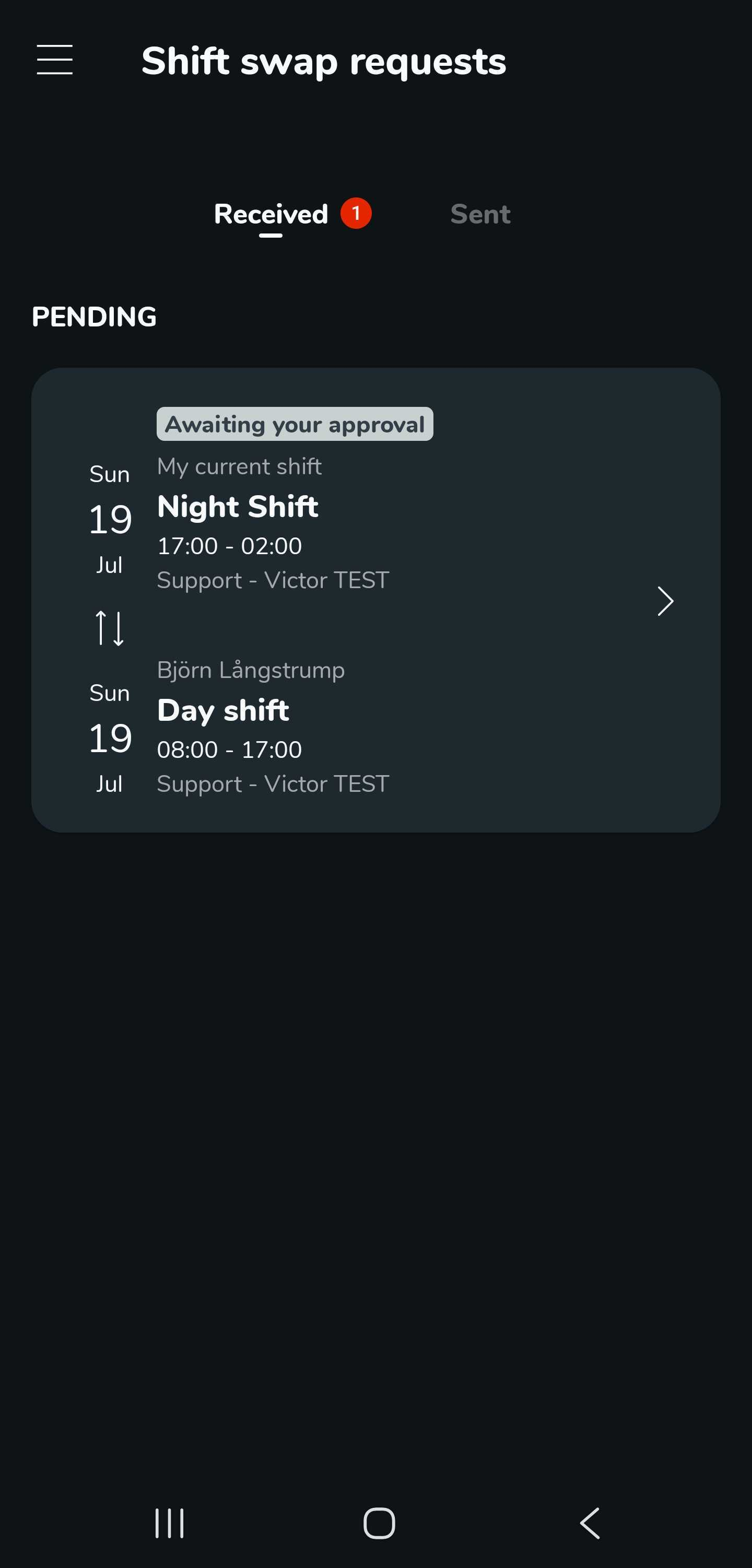
- Select the shift swap request you want to approve.
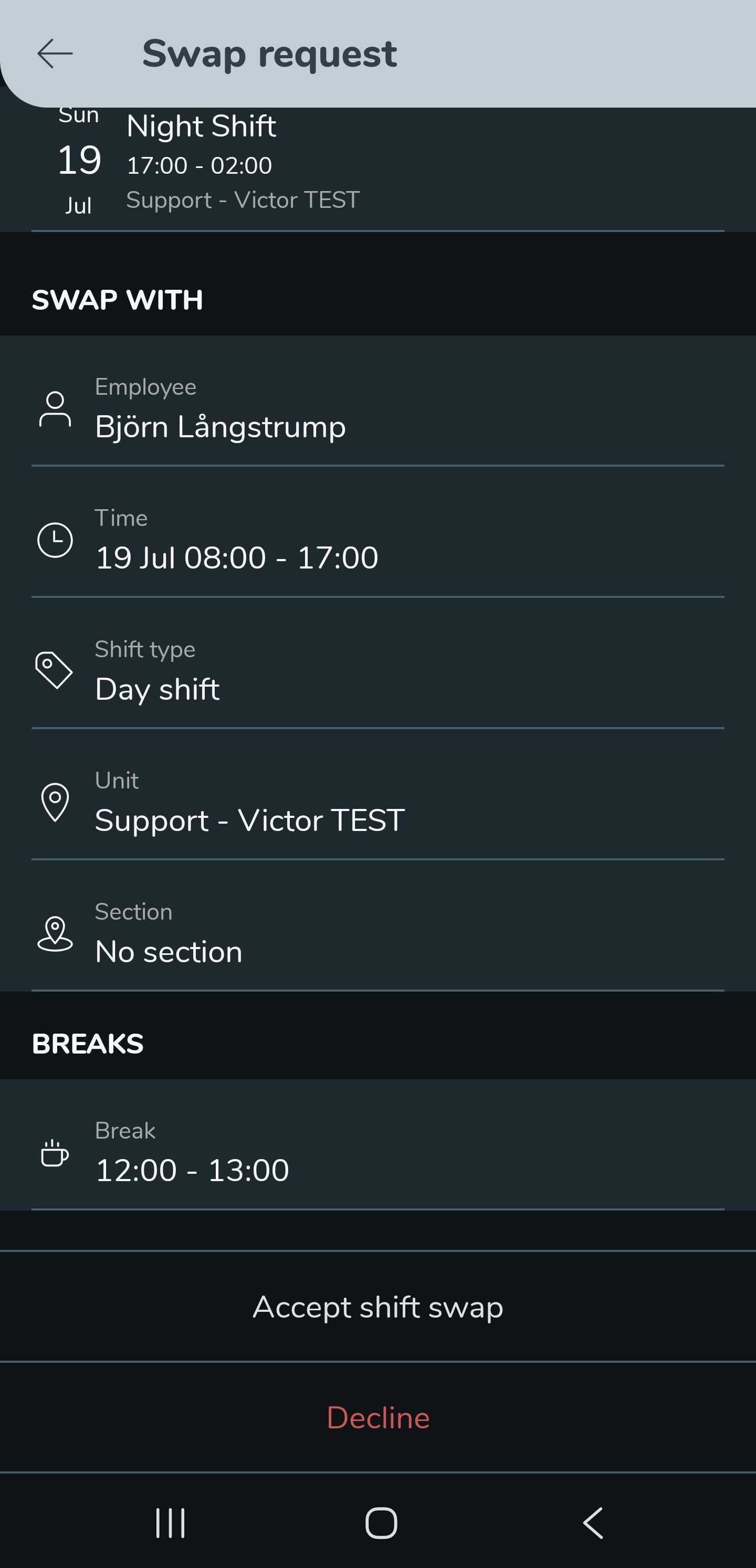
- You will see the details of the shift you are about to approve.
- At the bottom of the details page, you can choose to either Accept shift swap or Decline.
- Select OK to confirm.
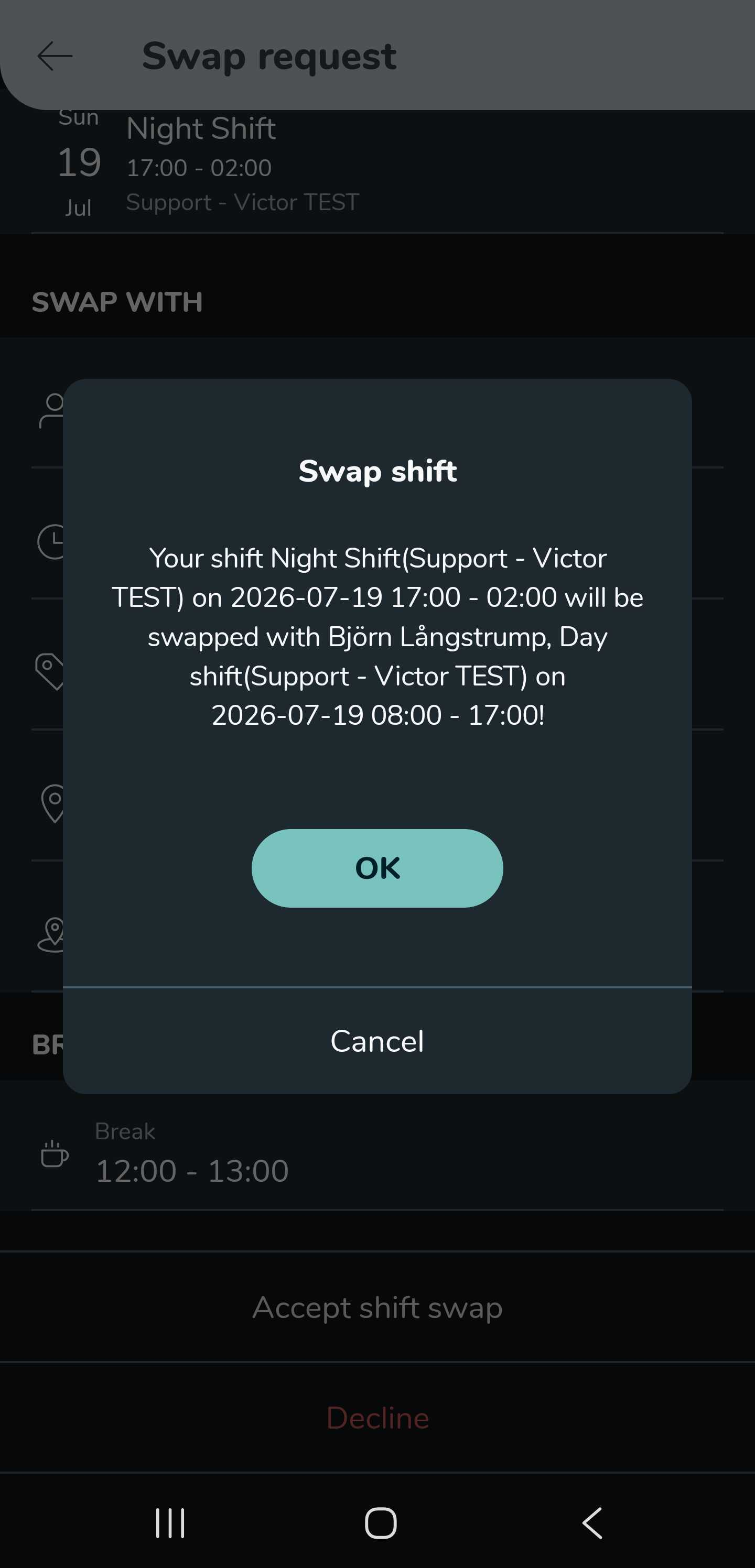
You now have to wait for a manager to approve the shift swap request. Once a manager approves the request, you and your colleague will automatically swap shifts.
