Files & Ava: Find the right answers in your internal documentation with Ava
 Updated
by
Daniel Sjögren
Updated
by
Daniel Sjögren
Files & Ava: Find the right answers in your internal documentation with Ava
You can connect your internal documentation in Files & Folders to Quinyx Assistant Ava. This allows employees and managers to ask questions and get instant answers based on your organization’s own documents - combined with existing Quinyx Helpdocs content.
With Files & Ava, important information like routines, policies, and guides becomes easier to find, understand, and act on directly inside Employee Hub.
What is Files & Ava?
Files & Ava lets you make selected files in Files in the Employee Hub available to Ava. When users ask questions, Ava will search both:
- Your organization’s uploaded documents that you’ve chosen to enable.
- Quinyx HelpDocs covering Quinyx WFM and Employee Hub functionality.
Ava always respects your existing file and folder permissions — users will only receive answers from documents they already have access to.
Prerequisites
To use Files & Ava, your organization must have Employee Hub activated.
How to activate Ava for Files & Folders
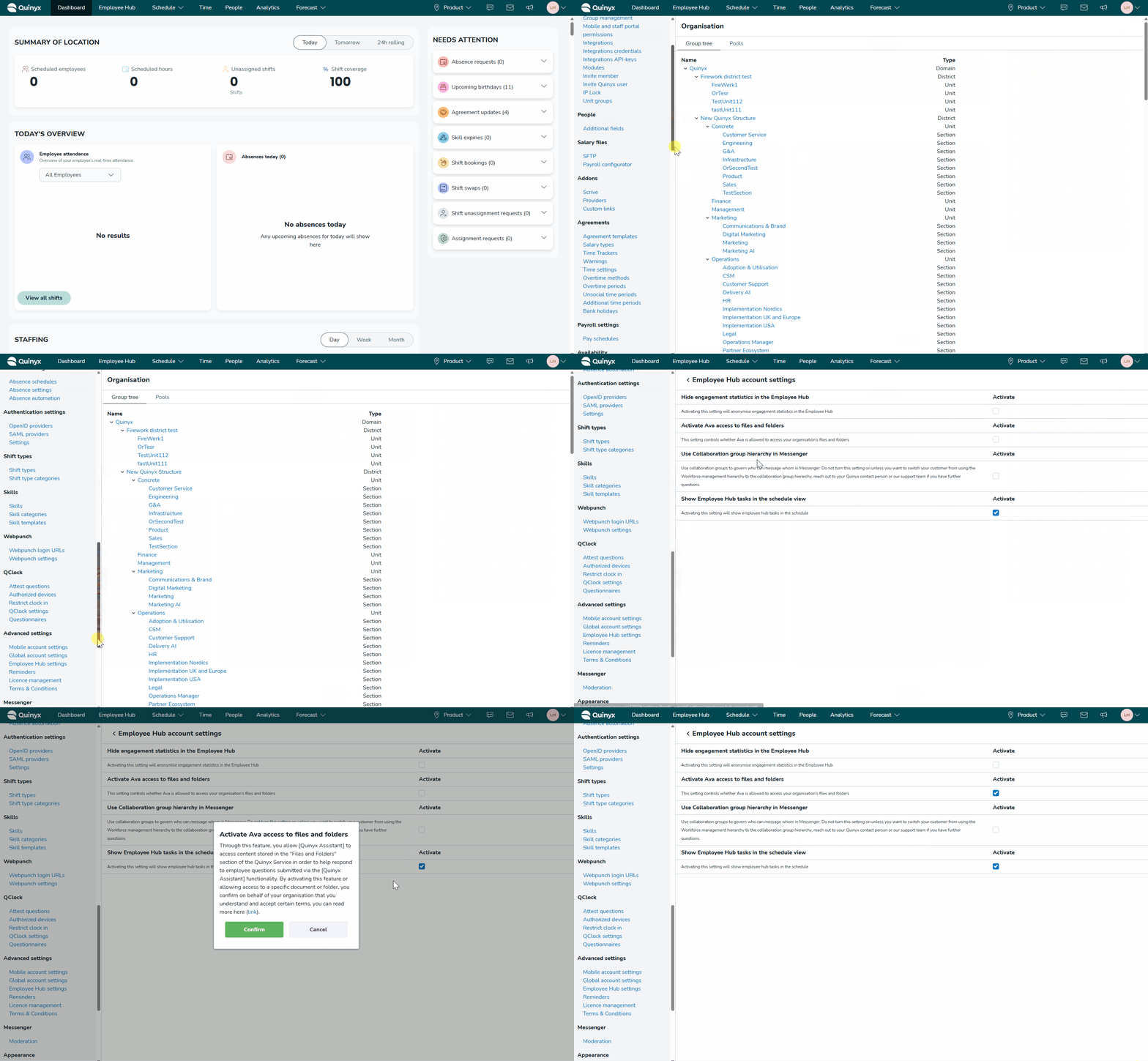
- Go to Account settings > Employee Hub settings > Employee Hub account settings.
- In the section Ava and Files & Folders, toggle Activate Ava access to files and folders.
- Read and accept the disclaimer shown during activation.
- Once activated, you can start enabling individual files for Ava.
Permissions
We have a new role-based permission that controls who can make files available to Ava:
- Give Ava access to files, under Role management > Employee Hub permissions > Give Ava access to files.
- This permission is turned off by default and must be enabled by an admin for managers who should be allowed to connect files to Ava.
Making files available to Ava
Files are enabled one by one.
- Open Files in the Employee Hub.
- Open the file you want to enable.
- Select Make this file available to Ava.
Only individual files can be enabled — entire folders cannot be shared with Ava.
Supported file formats
Currently supported file formats are:
- RTF
- DOC
- DOCX
- ODT
In future updates, Ava will also recognise file titles, descriptions, and media file names (such as images and videos).
How Ava uses your files
Once enabled, Ava can answer questions such as:
- “What’s our process for reporting sick leave?”
- “Where can I find the fire safety routine?”
- “How do I swap shifts in Quinyx?”
Ava combines information from your enabled files in the Employee Hub with Quinyx HelpDocs to provide accurate, relevant answers.
Language support
To ensure Ava can support all employees, we recommend uploading documentation in the same languages you use in Quinyx.
Don’t have Employee Hub?
Files & Ava is available to customers using Employee Hub.
If you don’t have Employee Hub today and are interested, please contact your Quinyx Account Representative.
