Mobile - Schedule your employees
 Updated
by
Victor Jespersen
Updated
by
Victor Jespersen
Create a shift
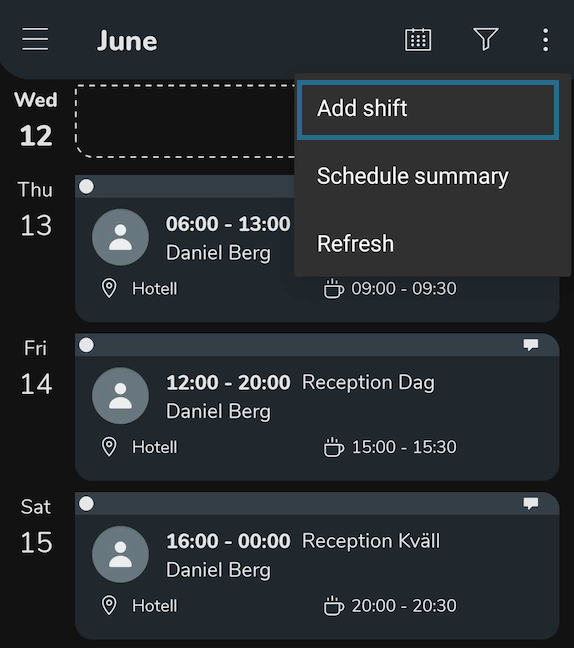
- Select + (iOS) or the three dots in the top-right corner to add a new shift.
- Select shift details such as Unit, Shift type, date, time, and employee.
- Select save.
The shift will be created and assigned to the chosen employee. The employee who got assigned will receive an app notification and a Qmail notification regarding the new shift. You can create a shift for yourself by following the steps above and choosing yourself as the assigned employee. If you create a shift for yourself, you will still receive an app notification and a Qmail notification.
Editing a shift
- Select an existing shift to edit.
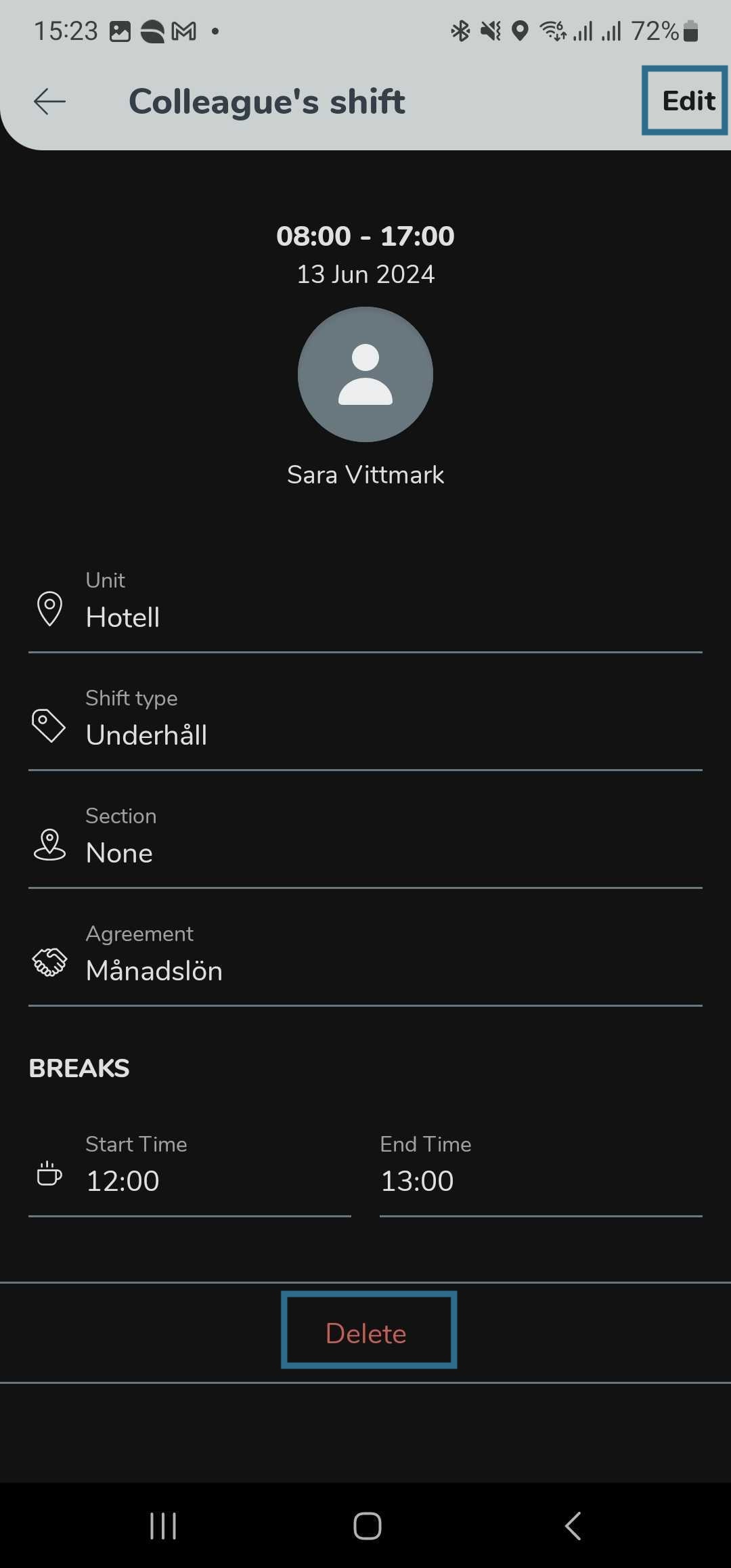
- Select Edit.
- Change the incorrect details and hit Save.
Deleting a shift
- Select an existing shift you want to remove.
- Select the Delete button at the bottom and confirm.
The assigned employee will receive an app notification and a Qmail notification regarding new shifts, and any changes to their assigned shift whether it is an edit or deletion.
