QWFM Mobile version 3.55

Terminate session with Identity Provider (IdP)
Prior to this release, when users logged out of the Quinyx Mobile App on a shared device, the Identity Provider (IdP) session was not always terminated correctly. This meant the next user who logged in via SSO could be automatically authenticated as the previous user, gaining unauthorised access to their profile. Given the web portal already supports IdP session termination, we have now extended this capability to the iOS and Android mobile apps.
This will ensure your session is now always terminated fully when logging out of a shared device.
Please find more information regarding SAML single sign on here.
Time tracker improvements
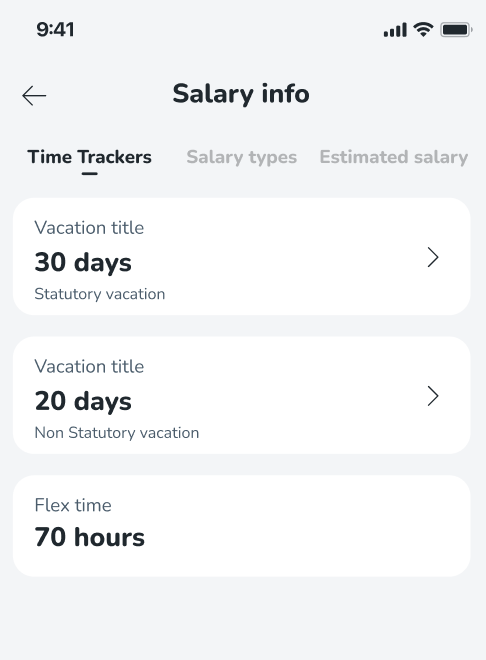
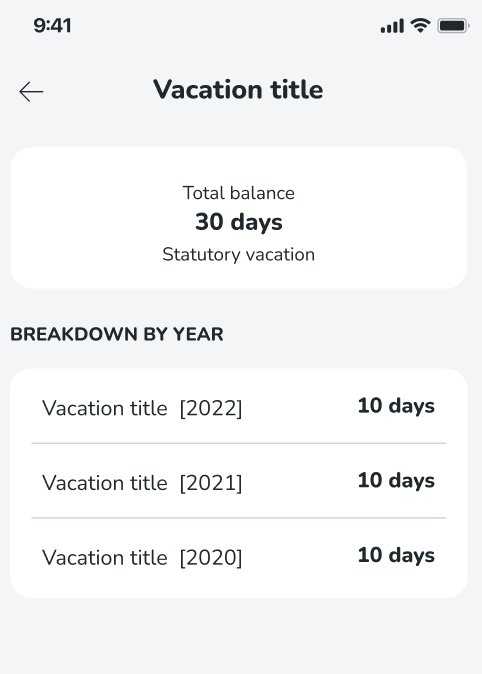
Previously, the UI for time tracker balance showed as separate line items for each year, making it difficult for you to get a quick, clear overview of your total vacation balance in the mobile apps.
We have improved clarity by grouping your balances as follows:
- Aggregated balances instead of listing each year separately, with an option to drill down into specific year based details when needed
- Grouped per balance type e.g. Statutory vs non-statutory
This means you can now more easily plan and apply for holidays based on your availability.
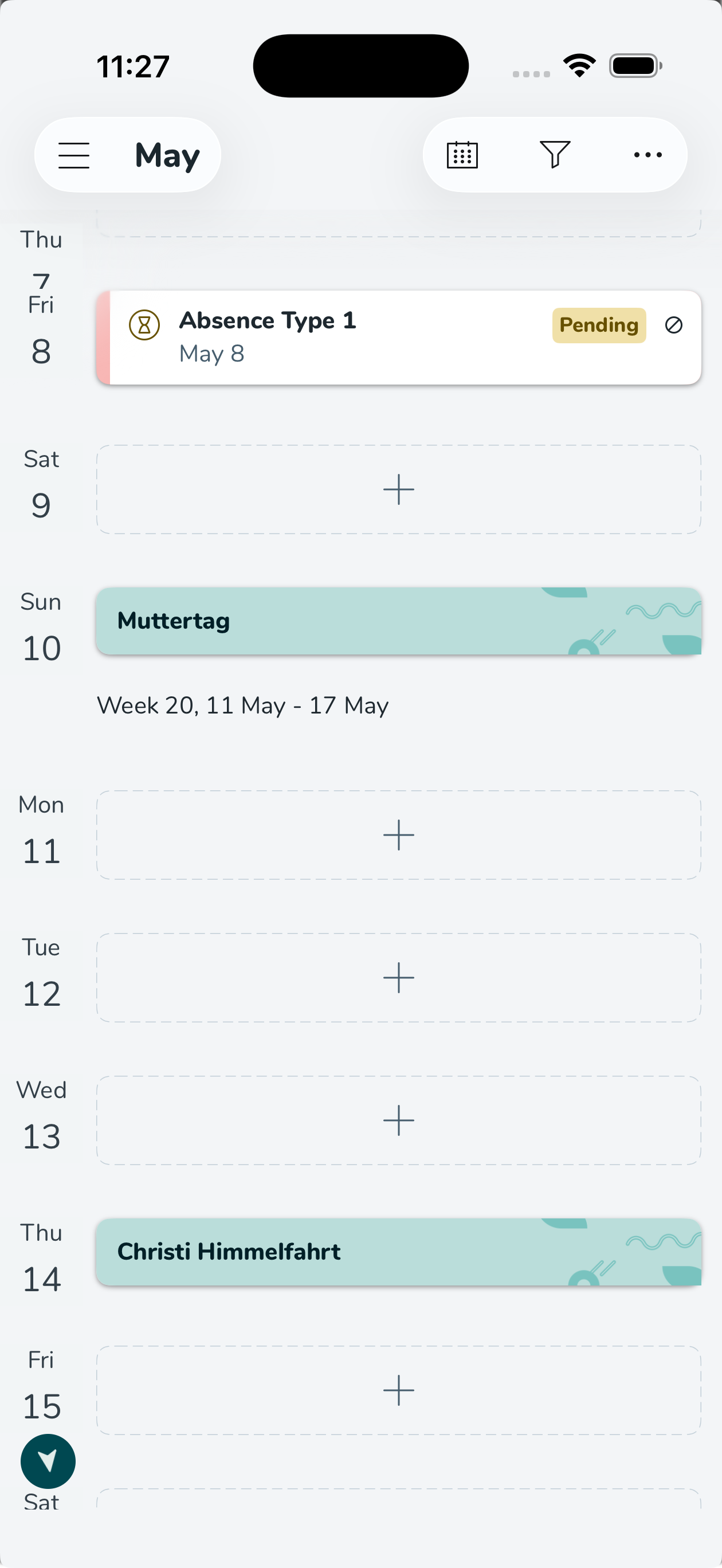
Improved bank holiday card UI
Before this release, bank holiday cards were indistinguishable from regular shift cards, Given how significant bank holidays are in retail, we have now made them visually distinct, making them easier to spot in your schedule!
Improved absence request UI
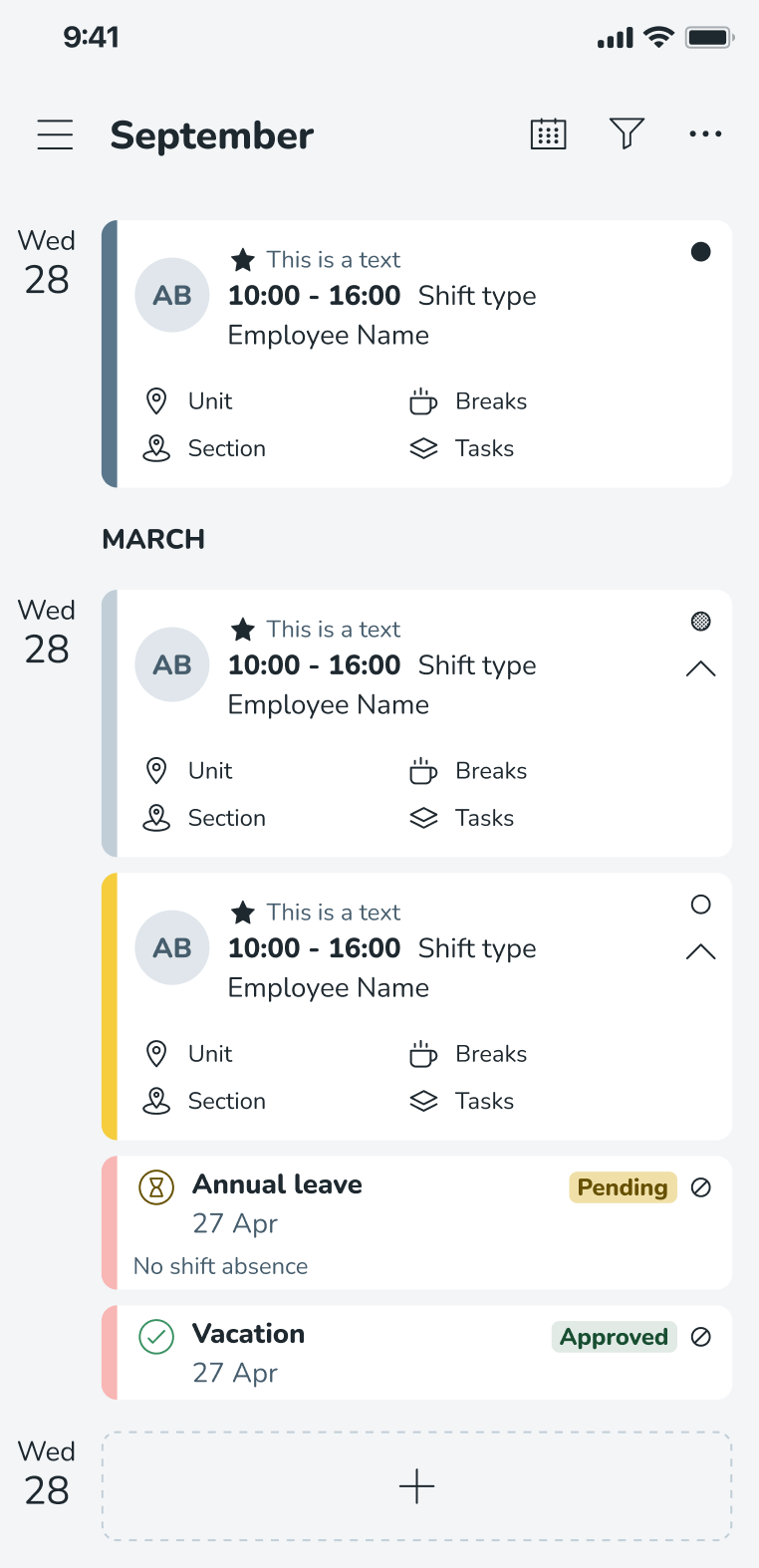
Before this release, we had received reports that it was difficult to tell the difference between absence requests which were awaiting approval vs those which had been approved. The text shown was small and shown in red, so at first glance all appeared to have been denied.
We have made the following improvements to try to make the status of your absence requests clear:
- Removal of your employee avatar to free up space - you can only ever see your own absence requests
- New status icons and corresponding badges i.e. pending, approved etc.
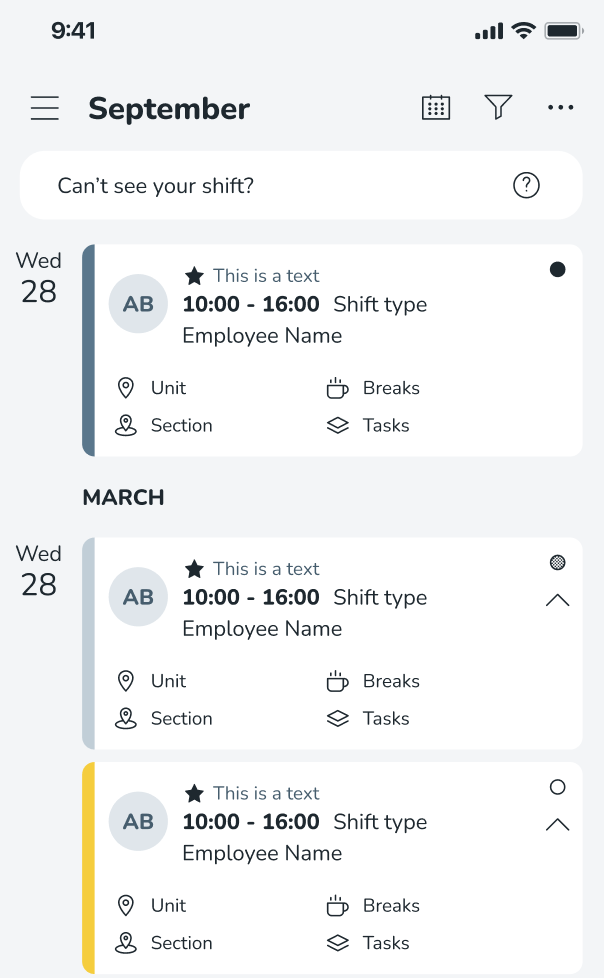
New ‘Can’t see your shift?' info button
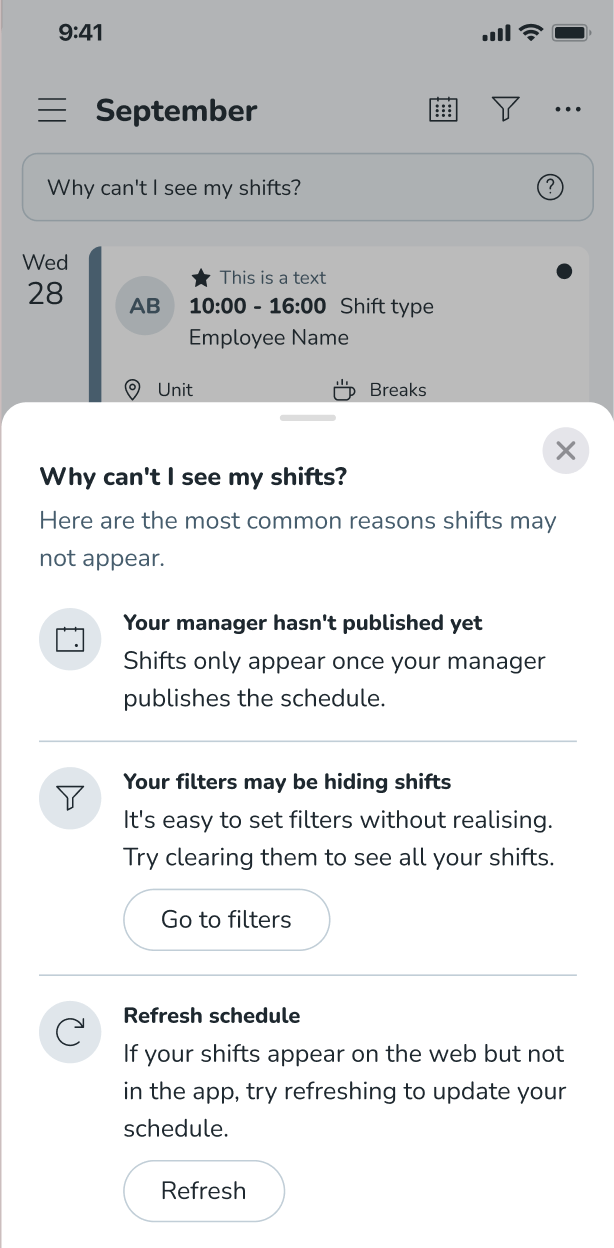
We often receive reports that users are struggling to find their shifts and do not understand why. There are various reasons why your shifts are not showing:
- Your manager may not have published your schedule
- You may have filters applied which need clearing
- You may need to refresh your schedule
If you believe you are missing shifts, we have now introduced a new ‘Can’t see your shift?' info button, reminding you why this might be.