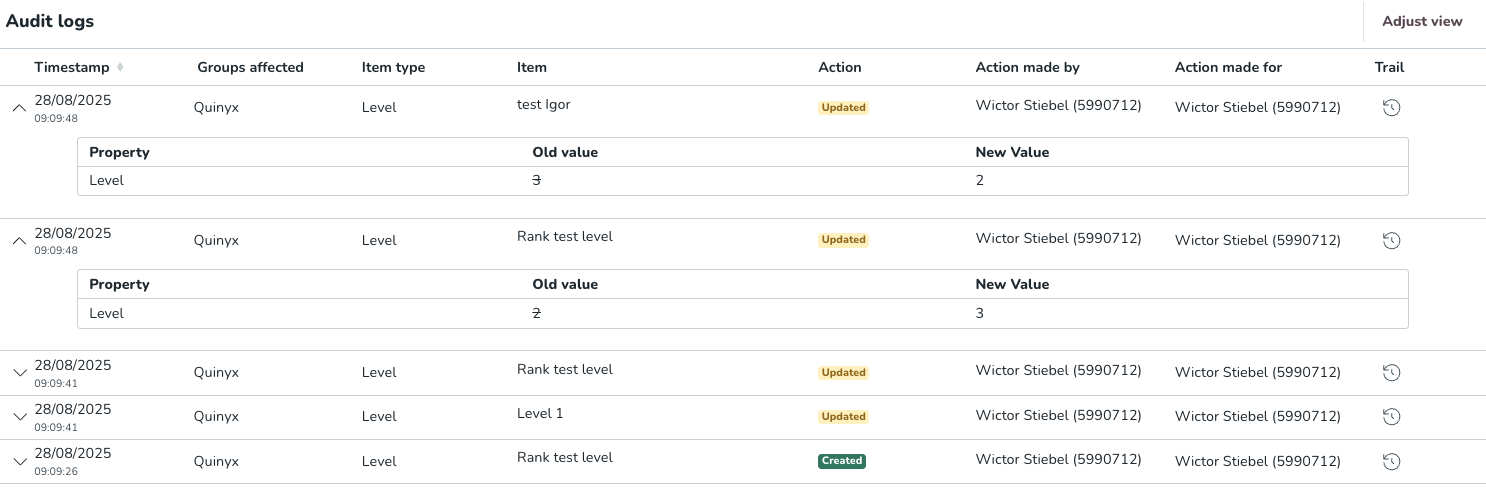
Audit logs - Level
 Updated
by
Leigh Hutchens
Updated
by
Leigh Hutchens
Tracking level changes in audit logs
Audit logs provide a transparent history of changes made to your organizational structure. Use these logs to verify when levels were modified, who made the changes, and what the specific values were before and after an update.
What is tracked?
The system captures an entry every time a Level is:
- Created: When a new tier is added to your hierarchy.
- Updated: When a level is renamed or its rank is changed.
- Deleted: When a level is removed from the system.
How to read the Level log
When viewing the logs, you can expand any entry to see a "before and after" comparison of the change.
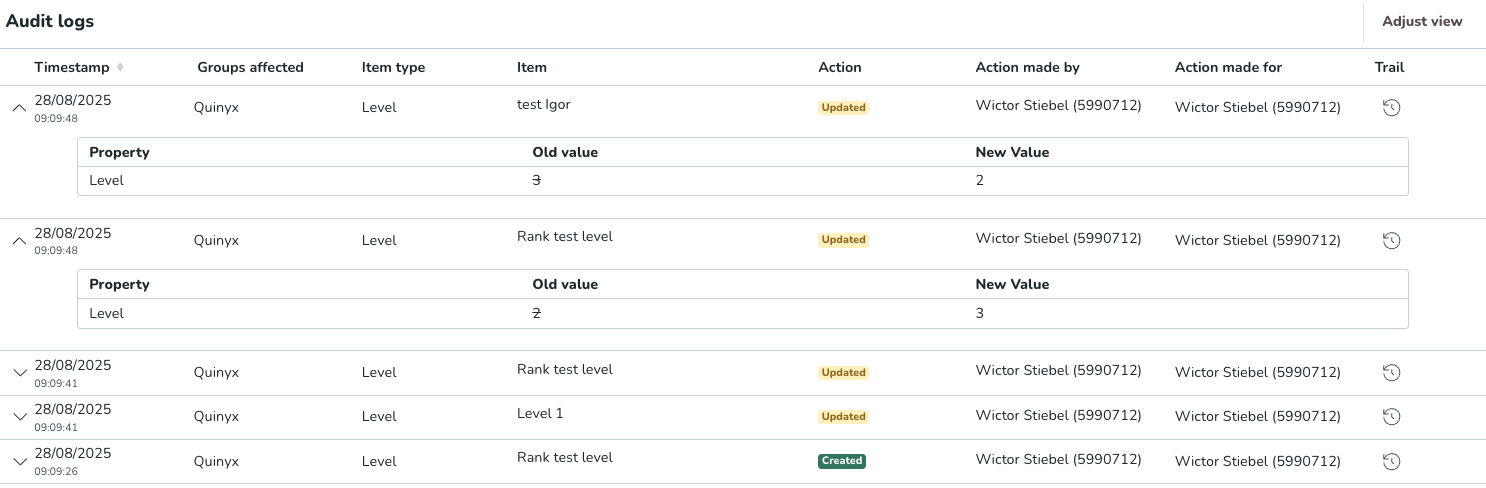
Column | Description |
Timestamp | The timestamp of when the audit log was created. |
Groups affected | A list of the groups affected. |
Item type | The item type. |
Item | The name of the specific level affected (e.g., "Rank test level"). |
Action | Indicates if the level was Created or Updated. |
Action made by | The name and ID of the user who performed the change. |
Action made for | The specific attribute changed (usually the Level or Rank). |
Trail | A comparison showing the previous state versus the current state. |