Mobile - Review shift swap requests you've sent
 Updated
by
Victor Jespersen
Updated
by
Victor Jespersen
Want to see where your shift swap request stands? Once you’ve asked a teammate to swap shifts, you can track the progress of your request. This section allows you to view its current status or cancel the request if your plans change.
Review your shift swap request
You can see shift swap requests you've sent by following the steps below:
- Select the hamburger menu and select Shift swap requests.
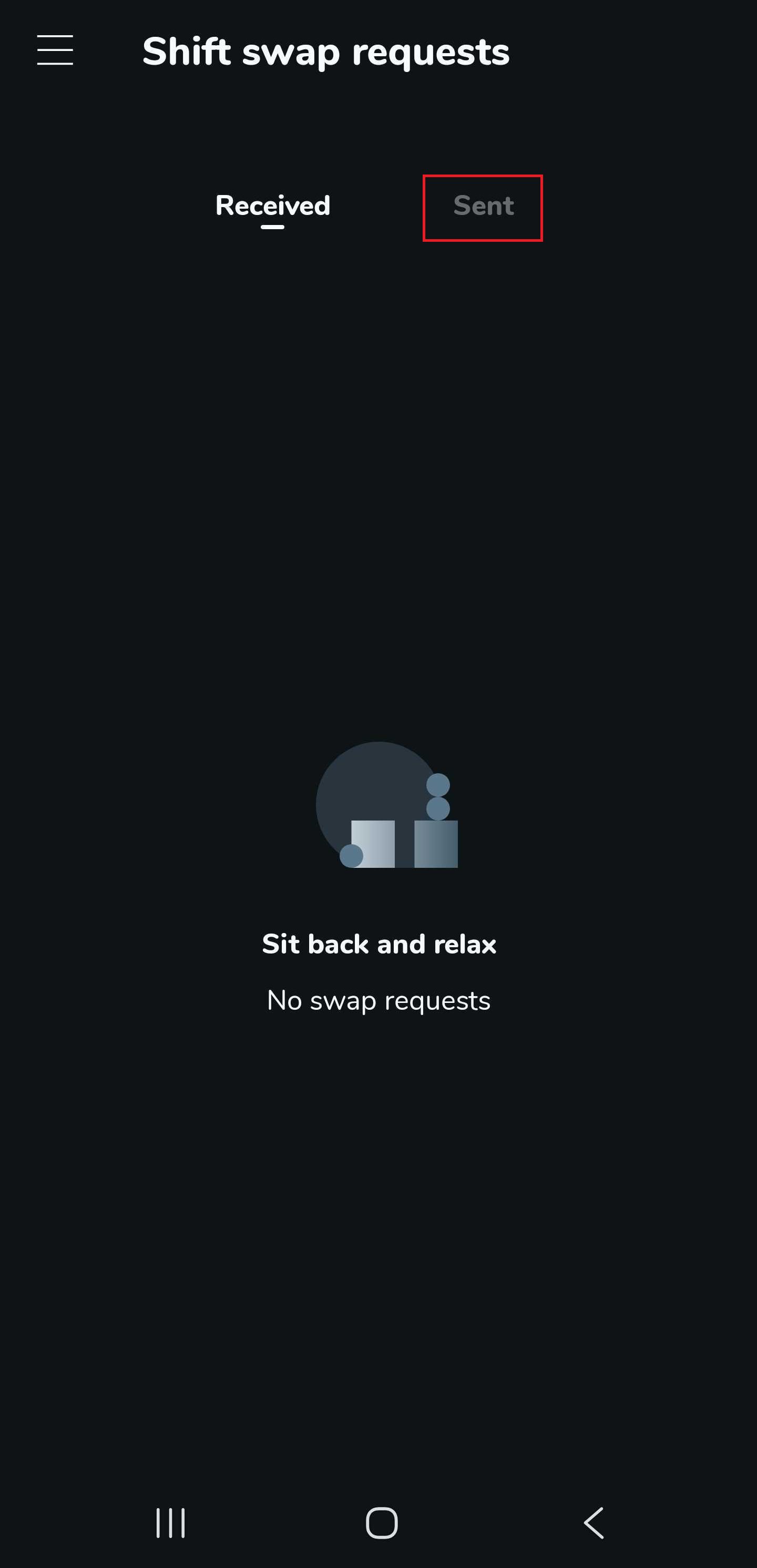
- Select the Sent tab.
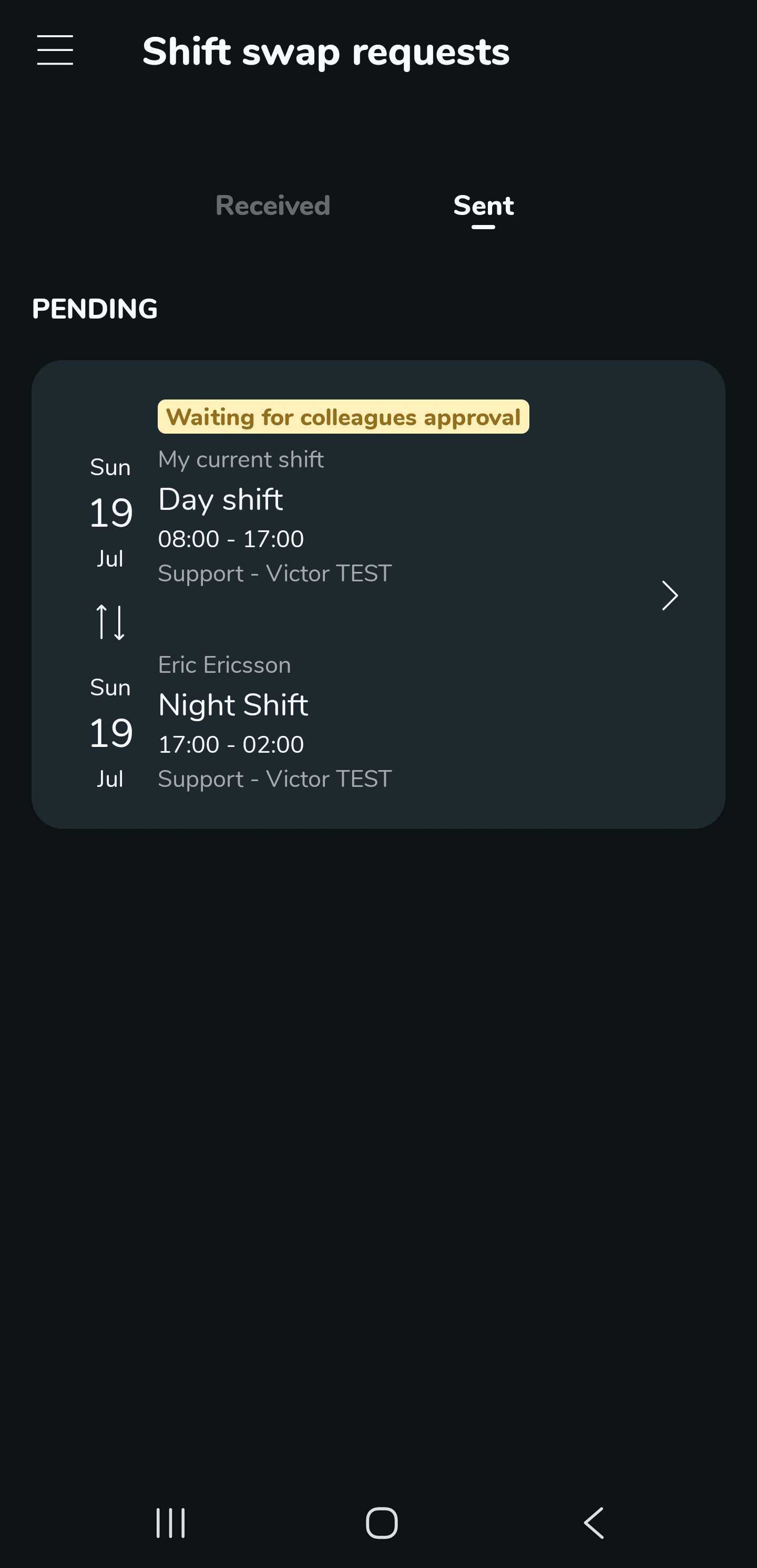
- Select the pending shift swap request to view the details.
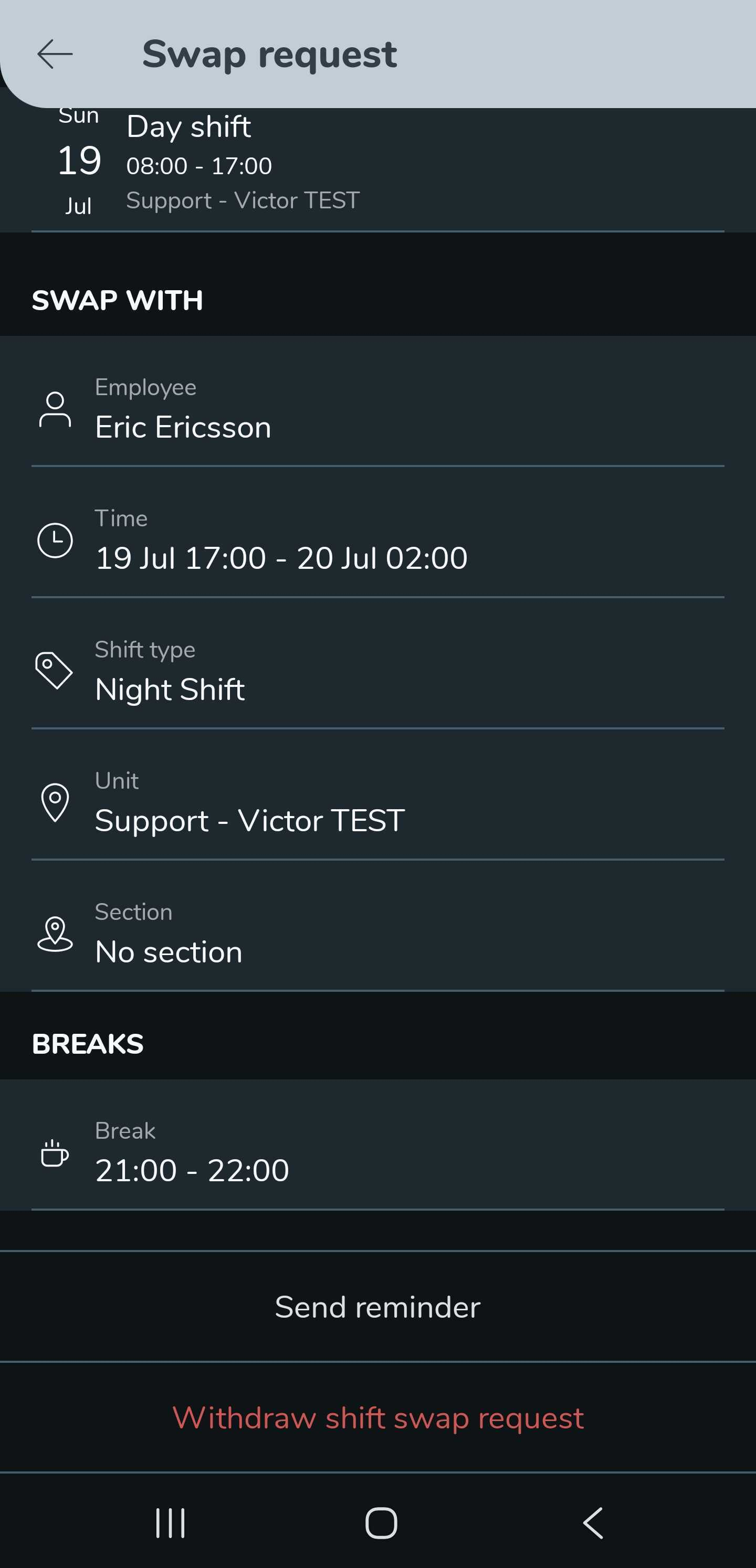
- At the bottom of the details page, you can select the Send reminder button to remind colleagues or Withdraw shift swap request.