Working with Advanced Additional time methods
 Updated
by
Daniel Sjögren
Updated
by
Daniel Sjögren
Quinyx offers various calculation methods for overtime and additional time. You’ll find a section called “Overtime methods” under the Account settings > Agreements > Overtime methods. When you navigate to that section, you’ll see a list of all available Overtime methods. Advanced additional time methods are treated as overtime methods, in terms of configurability, and in agreement templates. However, you now have the option of creating advanced additional time methods from its own side-modal.
If you are looking to add an Advanced additional time method, simply press Add overtime > Add Advanced additional time in the top-right corner.
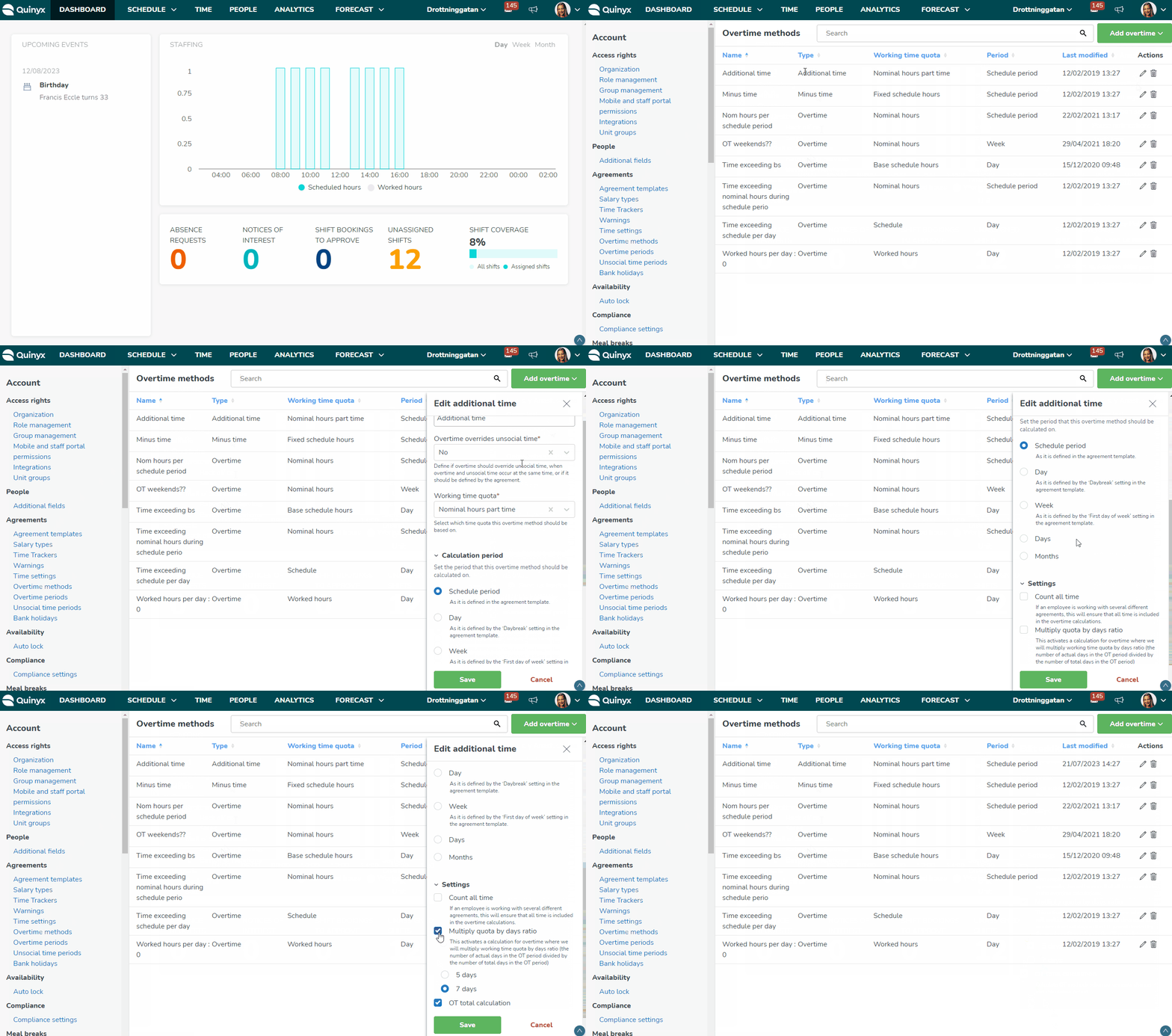
Field | Description | Comment |
Name | The name of the rule. | A mandatory field when creating all Overtime Methods. If you have a previous method saved without a name, you will be required to add a name for it on your next edit. |
Type | The type of salary to be calculated. | Options include overtime, additional hours, or minus time. |
Working time quota | Basis for calculation of salary type: schedule*, nominal hours, fixed schedule hours, base schedule hours**, worked hours, working day model, nominal hours part-time, scheduled hours, additional hours*. | This means when the salary type is to be specified. For example, 1) if the salary type is additional time and time will exceed scheduled hours: 4h as all hours punched on will be paid as additional time 2) If salary type is additional time and time will exceed nominal hours, all punched time over nominal hours will be paid as additional time. |
Period | Calculation period, day, week, days, months. | Scheduled period is set up in an employment agreement / agreement template. May be 1 month, 1 week, 2 weeks, 1 day, 369 days, etc. |
Last modified | The date and time the overtime method was last modified. |
