Q1 2026 Quinyx quarterly insights
 Updated
by
Leigh Hutchens
Updated
by
Leigh Hutchens
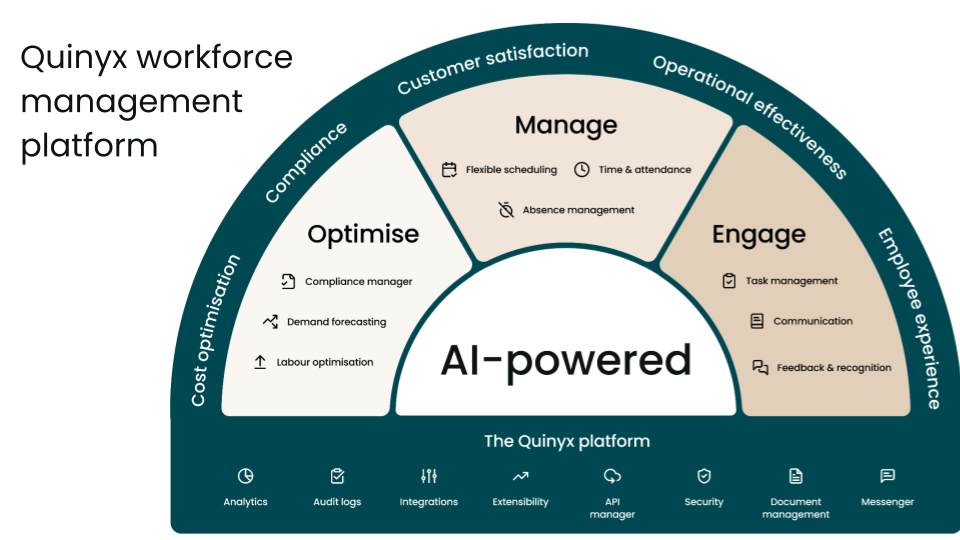
As we look back on Q1 2026, Quinyx has delivered a series of meaningful enhancements centered on usability, flexibility, and operational efficiency. These updates reflect our commitment to providing workforce leaders and frontline teams with tools that are intuitive and highly adaptable to real-world operational needs. Whether you are automating complex payroll runs, managing absences across multiple units, or prioritizing urgent tasks, this quarter’s improvements are designed to help you work smarter and stay connected.
Version 0227 (January 8, 2026)
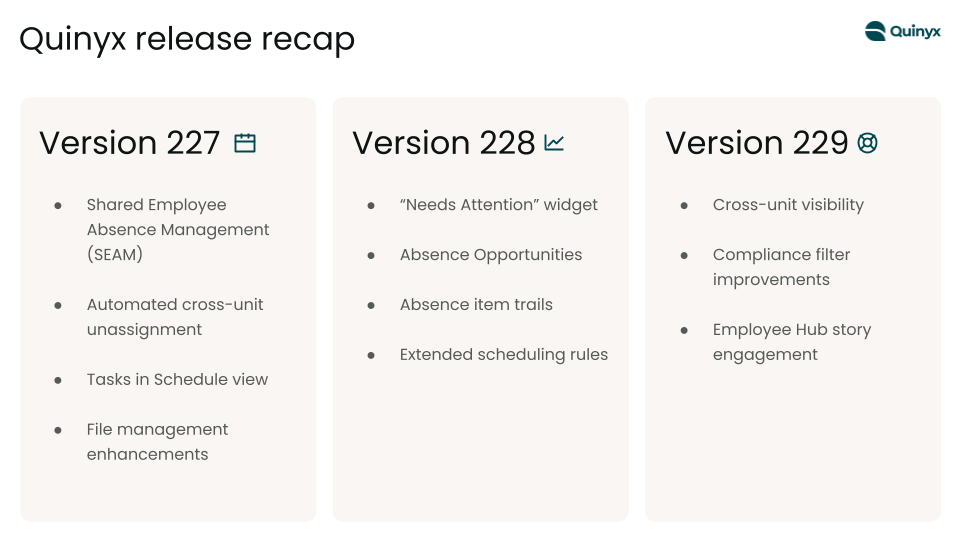
- Shared Employee Absence Management (SEAM): This new module allows shared employees to route absence requests to a specific manager in any of their shared units.
- Automated Cross-Unit Unassignment: When a shared employee's absence is approved in one unit, their shifts in all other affected units are automatically set to "unassigned" to prevent scheduling conflicts.
- Tasks in Schedule View: Employee Hub tasks are now visible directly within the web Schedule view, allowing managers to see what work needs to be done alongside who is available to do it.
- File Management Enhancements: Users can now delete folders that still contain content and have a 30-day window to reinstate accidentally deleted items.
Version 0228 (January 21, 2026)
- "Needs Attention" Widget: This new dashboard feature replaced "Upcoming events," providing managers with a prioritized list of urgent tasks like pending approvals and skill expiries.
- Absence Opportunities: Managers can now proactively offer voluntary time off when demand dips; employees can then accept or decline these offers directly via their mobile app.
- Absence Item Trails: Audit logs now include a full chronological "Item Trail" for every absence or request, making it easier to investigate disputes or planning issues.
- Extended Scheduling Rules: We expanded rule sets for Schedule Compliance and Auto Assign to include limits on maximum working weekends and minimum consecutive days of rest.
Version 0229 (February 5, 2026)
- Cross-Unit Shift Visibility: A new "Cross-unit shifts" checkbox in the Schedule filters allows managers to toggle visibility for shifts worked across different units for a more comprehensive overview.
- Compliance Filter Improvements: Warning titles in the Base Schedule filter were updated with more descriptive names to speed up the process of identifying and resolving violations.
- Story Engagement: We resolved an issue in the Employee Hub where comments on Stories were being cut off, ensuring users can now scroll through all feedback.
Version 0230 (February 18, 2026)
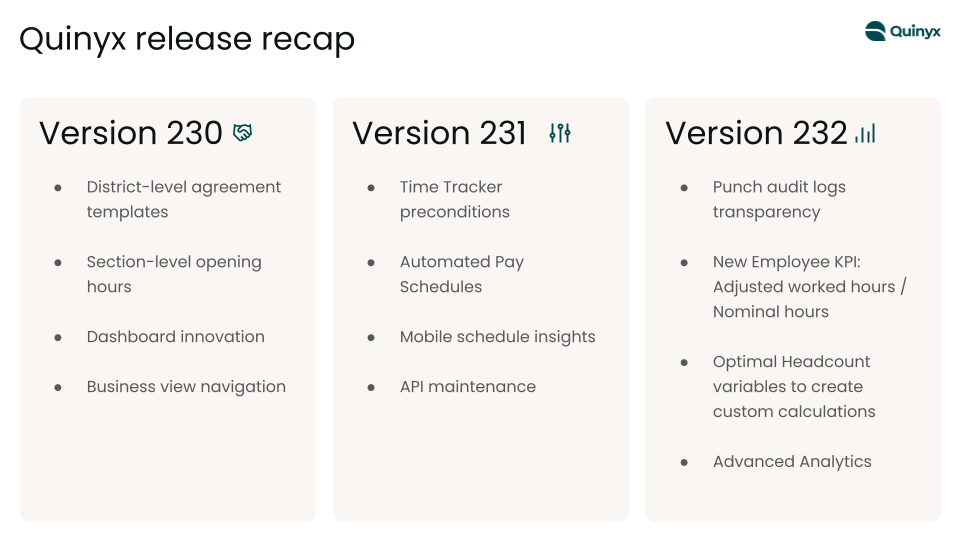
- District-Level Agreement Templates: Organizations can now assign specific agreement templates to districts, allowing local managers to customize rules for regional regulations without affecting global settings.
- Section-Level Opening Hours: Managers can now define unique opening hours for specific sections (e.g., kitchen vs. service area), improving the accuracy of demand forecasting and auto-scheduling.
- Dashboard Streamlining: To reduce duplication, the "Shift Coverage" and "Needs Approval" widgets were phased out in favor of the more comprehensive "Summary of Locations" and "Needs Attention" views.
- Business View Navigation: A new "Collapse all" option allows managers to condense all groups in the Business view with a single click, a preference that now persists across sessions.
Version 0231 (March 5, 2026)
- Time Tracker Preconditions: Administrators can now lock an employee's ability to use accrued balances (like extra leave days) until they have reached a specific length of continuous employment.
- Automated Pay Schedules: Organizations can now automate payroll runs by grouping employees into highly configurable schedules based on pay cycle, employment type, or geographic location.
- Mobile Schedule Insights: Employees can now visualize remaining contracted hours and weeks left in their current schedule period via a new "Balance" tab in the mobile app.
- API Maintenance: The deprecation of the unpaginated Tag Categories API was extended to March 4, 2026, to allow for stable migrations.
Version 0232 (March 19, 2026)
- Punch audit logs transparency: We’ve added granular visibility to Audit Logs to give you a clearer picture of time-reporting. Managers can now track specific changes to punches, making it easier to resolve disputes, verify claims of unfair treatment, and ensure every shift stays compliant with company policy.
- New Employee KPI: Adjusted worked hours / Nominal hours: The new Adjusted worked hours / Nominal hours employee metric helps scheduling managers see how much of the worked time in a period is still counted as “regular working time” after already compensated overtime has been deducted.
- Optimal Headcount variables to create custom calculations: Users can now include Optimal Headcount when configuring calculated variables. This enhancement allows optimal headcount to be used as an input or operator within custom calculations, giving users greater flexibility to build formulas tailored to their labor management needs.
- Advanced Analytics: With this release we’re happy to reintroduce Alerts and Scheduled Reports for Advanced Analytics.
