Mobile - Update your details
 Updated
by
Victor Jespersen
Updated
by
Victor Jespersen
Editing your personal details in a mobile app should be simple, secure, and convenient. Whether you need to update your name, contact information, address, or Language for auto-generated Qmails, knowing where to find these settings can save time and help keep your account accurate. In this article, we’ll walk through how to access and edit your personal details in the app, so you can manage your profile quickly and with confidence.
MyPage
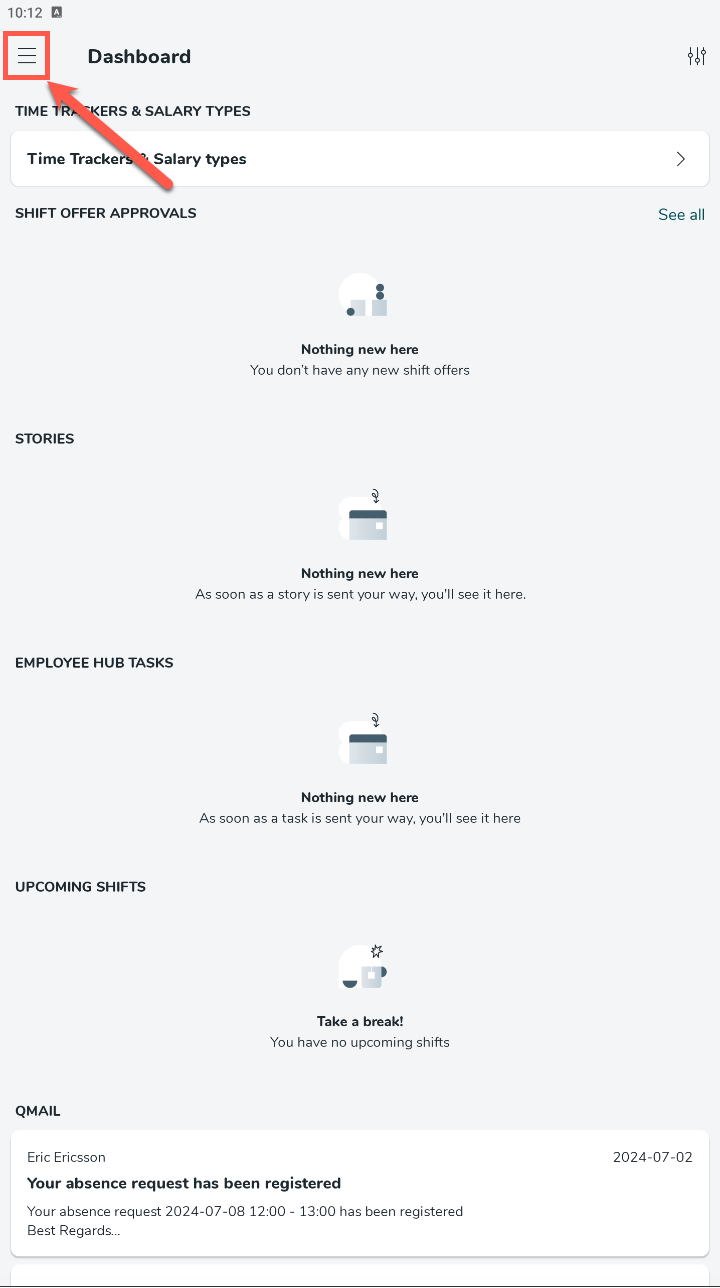
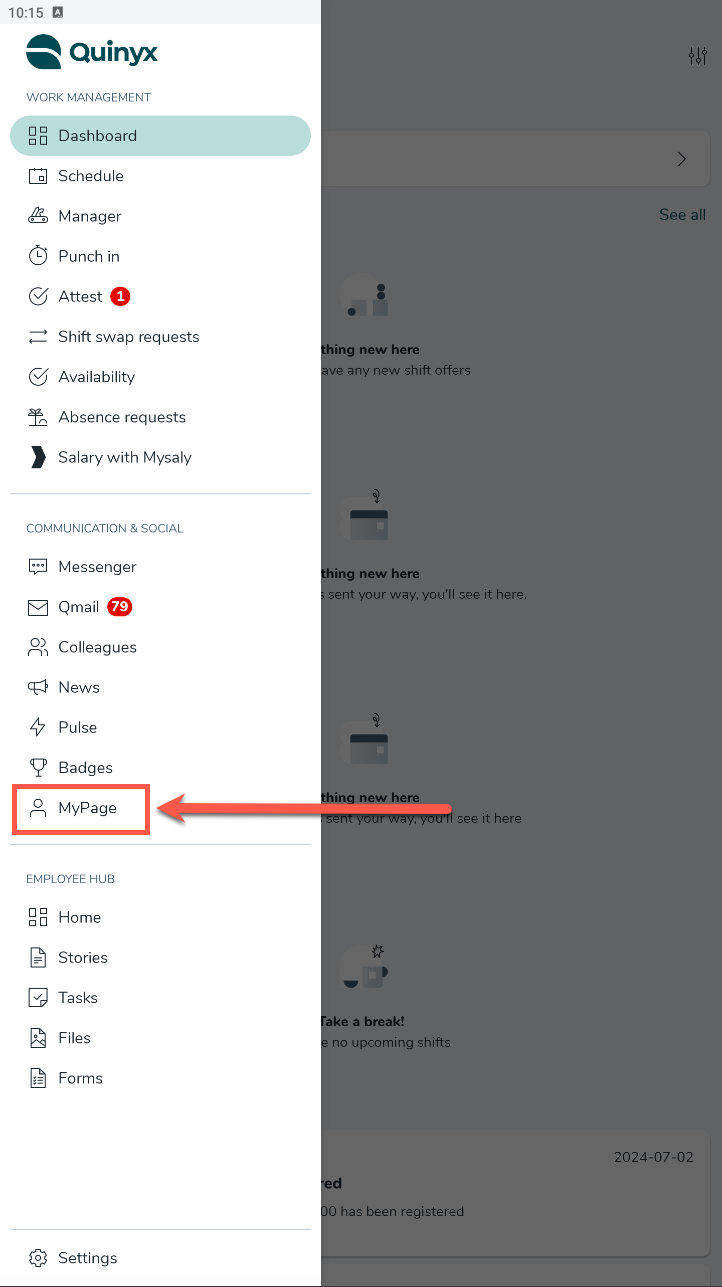
To access the MyPage tab, you need to:
- Select the Hamburger icon.
- Select MyPage.
Edit personal details
To edit your personal details, you can select the Edit button in the top right corner.
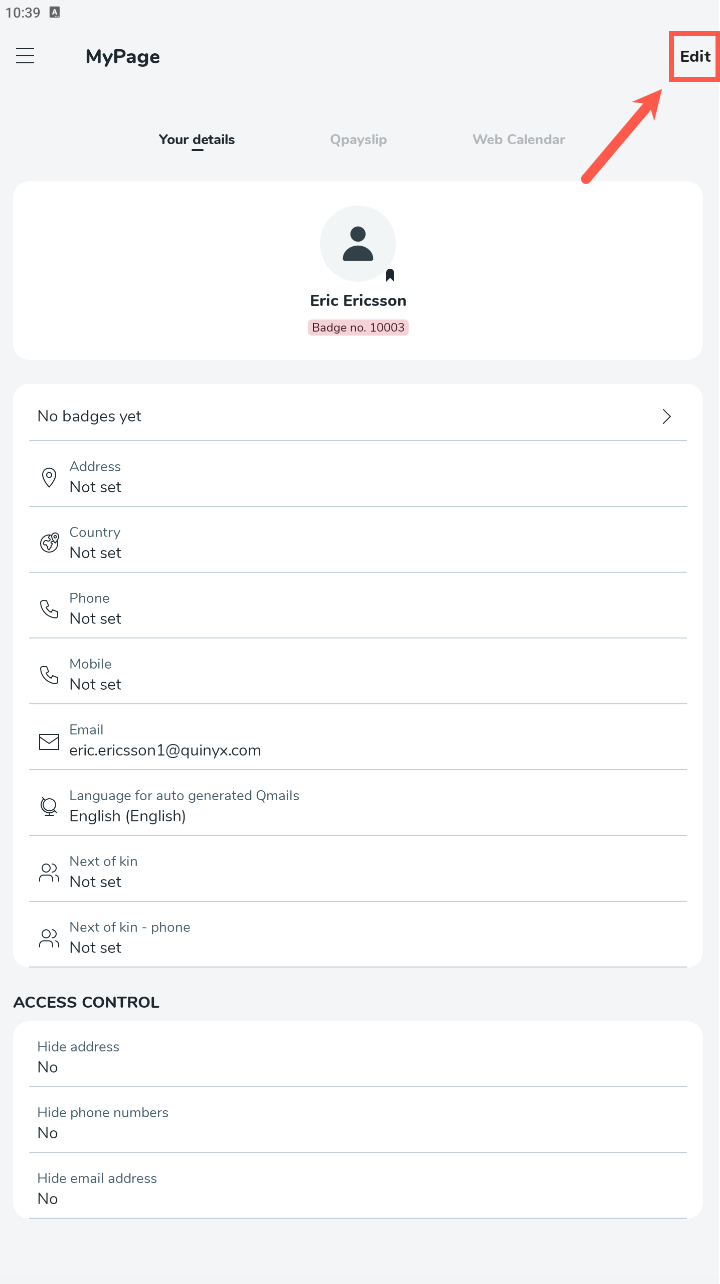
Within the details, you can edit:
- First name
- Last name
- Address
- Postal code
- City
- Country
- Phone number
- Mobile number
- Preferred language for auto-generated Qmaills
- Next of kin
- Phone number of next of kin
You can also control whether you want to hide your details from your colleagues. The details you can hide are:
- Your address
- Your phone number
- Your email address
